Mega Man 7
180K plays 1995 #Action#Platform
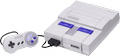
Mega Man 7 is a 1995 action game developed and published by Capcom for the Super Nintendo Entertainment System (SNES). It is the seventh game in the original Mega Man series. The game was released in Japan on March 24, 1995 and was localized later in the year in North America and Europe.
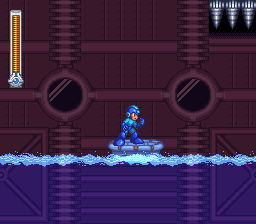
Picking up 6 months after the events of Mega Man 6, the plot involves the protagonist Mega Man once again attempting to stop the evil Dr. Wily, who uses a new set of Robot Masters to free himself from captivity and begin wreaking havoc on the world. Along with some help from his old friends, Mega Man finds potential allies in the mysterious robot pair Bass and Treble, who are later revealed to be in league with Wily. In terms of gameplay, Mega Man 7 follows the same play style introduced in the 8-bit NES titles, but updates the graphics and sound of the series for the more powerful SNES.
According to its creators, Mega Man 7 was only in development for a short time before its release. Keiji Inafune handed off his duties to Hayato Kaji for this installment. Mega Man 7 has received mixed-to-positive reviews from critics. Although many considered it a competent game by itself, many other reviewers thought that the series' formula had gone stale, as they criticized the game for not innovating enough from its predecessors and negatively compared it to the more inventive Mega Man X, released on the SNES over a year earlier, because of it. A sequel, Mega Man 8, was released in 1996.
From Wikipedia's article Mega Man 7
Keyboard controls
| SNES | Player 1 | Player 2 |
|---|---|---|
| D-pad | ↑↓←→ | IKJL |
| A | Z | M |
| B | X | N |
| X | A | U |
| Y | S | H |
| L | Q | Y |
| R | E | O |
| Select | Shift | B |
| Start | Enter | Space |
Hotkeys
- 1 Quick save state
- 2 Quick load state
- 3 Change save slot
Gamepads are detected when you press a button. Remap any key from the emulator’s Controls menu (gear icon).
Online, both players use the Player 1 keys (or a gamepad) on their own computer. Saving, loading and pausing are off while you play online.
From the manual, page 4
Live chat
Connecting…
Keyboard controls
| SNES | Player 1 | Player 2 |
|---|---|---|
| D-pad | ↑↓←→ | IKJL |
| A | Z | M |
| B | X | N |
| X | A | U |
| Y | S | H |
| L | Q | Y |
| R | E | O |
| Select | Shift | B |
| Start | Enter | Space |
Hotkeys
- 1 Quick save state
- 2 Quick load state
- 3 Change save slot
Gamepads are detected when you press a button. Remap any key from the emulator’s Controls menu (gear icon).
Online, both players use the Player 1 keys (or a gamepad) on their own computer. Saving, loading and pausing are off while you play online.
From the manual, page 4
3.0 Good job
GameRankings 71%
Review scorecard
- Graphics 3.0 out of 5 Overall fallback
- Sound 3.0 out of 5 Overall fallback
- Control 3.0 out of 5 Overall fallback
- Fun Factor 3.0 out of 5 Overall fallback
Overall fallback: GameRankings 71%. Overall source The same 71/100 overall rating fills missing categories using the face scale; these are not separate category scores.
What the reviews talk about
Key wordsinventivecolourfulsolidoriginal
What the critics said
Tony Mott of Super Play found the game to lack improvement over its 8-bit counterparts in gameplay, stating that the level layouts are "muted and appear regular when compared to the X series".
— Super Play, 1995 (Tony Mott)
From the Reception section of Wikipedia's Mega Man 7 article.
Scores
- 79 Super Play 79/100
- 75 GamePro 3.75/5
- 74 Electronic Gaming Monthly 7/10, 7/10, 7/10, 8.5/10
- 70 Game Informer1995 7/10
- 70 VG&CE1995 7/10
- 60 Famitsu1995 7/10, 6/10, 6/10, 5/10
- 60 Next Generation 3/5
From the review table in Wikipedia's Mega Man 7 article.
Full reviews
Play online
Play with a friend on another computer. Host a room and send them the link, or list it in Open rooms for anyone to join; they play as Player 2 and you both see the same game.
Press Start Game first.
Go live
Let anyone watch you play, live in their browser. They see your game as you play it, and your online game when you host a room.
Press Start Game first.

Comments