Donkey Kong Country
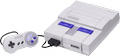
797K plays 1994 #Action#Platform
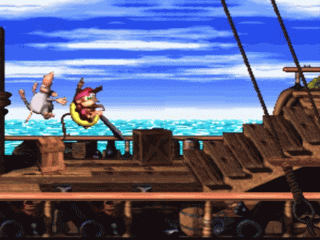
Donkey Kong Country, known in Japan as Super Donkey Kong, is a 1994 platform game developed by Rare and published by Nintendo for the Super Nintendo Entertainment System (SNES). It follows the gorilla Donkey Kong and his nephew Diddy Kong as they set out to recover their stolen banana hoard from the crocodile King K. Rool and his army, the Kremlings. The player traverses 40 side-scrolling levels as they jump between platforms and avoid obstacles. They collect items, ride minecarts and animals, defeat enemies and bosses, and find secret bonus stages. In multiplayer modes, two players work cooperatively or race.
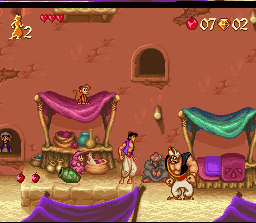
After developing Nintendo Entertainment System games in the 1980s, Rare, a British studio founded by Tim and Chris Stamper, purchased Silicon Graphics workstations to render 3D models. Nintendo sought a game to compete with Sega's Aladdin (1993) and commissioned Rare to reboot the dormant Donkey Kong franchise. Rare assembled 12 developers to work on Donkey Kong Country over 18 months. Donkey Kong Country was inspired by the Super Mario series and was one of the first home console games to feature pre-rendered graphics, achieved through a compression technique that converted 3D models into SNES sprites with little loss of detail. It was the first Donkey Kong game neither produced nor directed by the franchise's creator, Shigeru Miyamoto, though he contributed design ideas.
From Wikipedia's article Donkey Kong Country
Keyboard controls
| SNES | Player 1 | Player 2 |
|---|---|---|
| D-pad | ↑↓←→ | IKJL |
| A | Z | M |
| B | X | N |
| X | A | U |
| Y | S | H |
| L | Q | Y |
| R | E | O |
| Select | Shift | B |
| Start | Enter | Space |
Hotkeys
- 1 Quick save state
- 2 Quick load state
- 3 Change save slot
Gamepads are detected when you press a button. Remap any key from the emulator’s Controls menu (gear icon).
Online, both players use the Player 1 keys (or a gamepad) on their own computer. Saving, loading and pausing are off while you play online.
From the manual, page 5
Live chat
Connecting…
Keyboard controls
| SNES | Player 1 | Player 2 |
|---|---|---|
| D-pad | ↑↓←→ | IKJL |
| A | Z | M |
| B | X | N |
| X | A | U |
| Y | S | H |
| L | Q | Y |
| R | E | O |
| Select | Shift | B |
| Start | Enter | Space |
Hotkeys
- 1 Quick save state
- 2 Quick load state
- 3 Change save slot
Gamepads are detected when you press a button. Remap any key from the emulator’s Controls menu (gear icon).
Online, both players use the Player 1 keys (or a gamepad) on their own computer. Saving, loading and pausing are off while you play online.
From the manual, page 5
5.0 Outstanding!
Critics 92 · 8 reviews
Review scorecard
- Graphics 5.0 out of 5 Overall fallback
- Sound 5.0 out of 5 Overall fallback
- Control 5.0 out of 5 Overall fallback
- Fun Factor 5.0 out of 5 Overall fallback
Overall fallback: Critics 92 · 8 reviews. Overall source The same 92/100 overall rating fills missing categories using the face scale; these are not separate category scores.
What the reviews talk about
Key wordslengthyunoriginalaccessiblesimplisticexcitingaddictive
What the critics said
Next Generation felt the gameplay, though good, did not meet the standards of previous SNES games such as the Mario and Legend of Zelda series and prevented it from being a "typical Nintendo blockbuster".
— Next Generation
From the Reception section of Wikipedia's Donkey Kong Country article.
Scores
- 100 GameFan 100/100
- 100 Entertainment Weekly1994 A+
- 100 Top Secret 5/5
- 97 Total! 97/100
- 93 Electronic Gaming Monthly 10/9/9/9
- 90 Computer and Video Games 90/100
- 80 Next Generation 4/5
- 78 Famitsu 7/8/8/8
From the review table in Wikipedia's Donkey Kong Country article.
Full reviews
Play online
Play with a friend on another computer. Host a room and send them the link, or list it in Open rooms for anyone to join; they play as Player 2 and you both see the same game.
Press Start Game first.
Go live
Let anyone watch you play, live in their browser. They see your game as you play it, and your online game when you host a room.
Press Start Game first.

Comments