The Magical Quest Starring Mickey Mouse

126K plays 1992 #Action#Platform
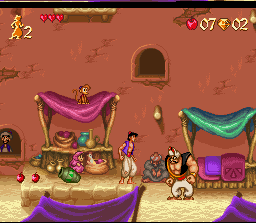
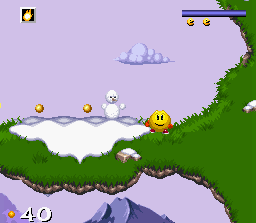
Disney's Magical Quest is a Disney platform game trilogy released by Capcom. The games star Mickey Mouse and (depending on the game version) either Minnie Mouse or Donald Duck, who must defeat Pete. The gameplay is similar amongst all games in the series: the player must move as in a typical platform game, defeating enemies either by jumping on them or by grabbing and throwing blocks at them.
One of the most notable gameplay features of the series is the ability to change characters' outfits, which give characters different special abilities. Other gameplay elements in the series include the ability to expand the player's health meter by collecting special hearts, and to shop for items using coins that are scattered throughout the game.
From Wikipedia's article Disney's Magical Quest, licensed under CC BY-SA 4.0
Keyboard controls
| SNES | Player 1 | Player 2 |
|---|---|---|
| D-pad | ↑↓←→ | IKJL |
| A | Z | M |
| B | X | N |
| X | A | U |
| Y | S | H |
| L | Q | Y |
| R | E | O |
| Select | Shift | B |
| Start | Enter | Space |
Hotkeys
- 1 Quick save state
- 2 Quick load state
- 3 Change save slot
Gamepads are detected when you press a button. Remap any key from the emulator’s Controls menu (gear icon).
Online, both players use the Player 1 keys (or a gamepad) on their own computer. Saving, loading and pausing are off while you play online.
From the manual, page 4
Live chat
Connecting…
Keyboard controls
| SNES | Player 1 | Player 2 |
|---|---|---|
| D-pad | ↑↓←→ | IKJL |
| A | Z | M |
| B | X | N |
| X | A | U |
| Y | S | H |
| L | Q | Y |
| R | E | O |
| Select | Shift | B |
| Start | Enter | Space |
Hotkeys
- 1 Quick save state
- 2 Quick load state
- 3 Change save slot
Gamepads are detected when you press a button. Remap any key from the emulator’s Controls menu (gear icon).
Online, both players use the Player 1 keys (or a gamepad) on their own computer. Saving, loading and pausing are off while you play online.
From the manual, page 4
Play online
Play with a friend on another computer. Host a room and send them the link; they join as Player 2 and you both see the same game.
Press Start Game first.
Go live
Let anyone watch you play, live in their browser. They see your game as you play it, and your online game when you host a room.
Press Start Game first.
Comments