Castlevania: Dracula X
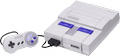
106K plays 1995 #Action#Platform
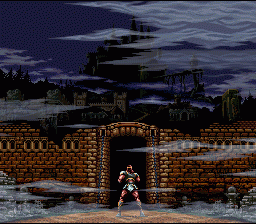
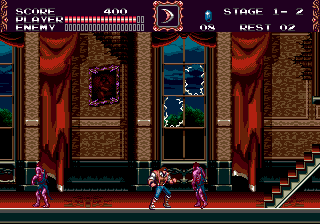
Castlevania: Dracula X, titled Castlevania: Vampire's Kiss in Europe and Akumajou Dracula XX in Japan, is a 1995 platform game developed and published by Konami for the Super Nintendo Entertainment System. It is the second Castlevania installment to be released for the Super NES. It is a remake of Castlevania: Rondo of Blood, which was previously released in Japan on the PC Engine Super CD-ROM2 in 1993. While the plot is similar to Rondo of Blood and it uses many of that game's graphics, it features new levels and altered gameplay elements, rather than being a direct port because of the limits of the Super NES cartridge format and exclusivity agreements with PC Engine maker NEC. It was released on July 21, 1995 in Japan, in September 1995 in North America, February 22, 1996 in Europe, and on June 22, 1996, in Australia. The game received mixed reviews, with journalists considering it inferior to Rondo of Blood and criticizing its high difficulty.
The game was re-released as a Wii U Virtual Console download in Japan on April 23, 2014, in North America on October 2, 2014, and the PAL regions on November 13, 2014. It was released again for New Nintendo 3DS Virtual Console download in North America on December 29, 2016, and in Europe and Australia on January 26, 2017. The game was also re-released as a part of the Castlevania Advance Collection on September 23, 2021, for the Nintendo Switch, PlayStation 4, Windows, and Xbox One.
From Wikipedia's article Castlevania: Dracula X
Keyboard controls
| SNES | Player 1 | Player 2 |
|---|---|---|
| D-pad | ↑↓←→ | IKJL |
| A | Z | M |
| B | X | N |
| X | A | U |
| Y | S | H |
| L | Q | Y |
| R | E | O |
| Select | Shift | B |
| Start | Enter | Space |
Hotkeys
- 1 Quick save state
- 2 Quick load state
- 3 Change save slot
Gamepads are detected when you press a button. Remap any key from the emulator’s Controls menu (gear icon).
Online, both players use the Player 1 keys (or a gamepad) on their own computer. Saving, loading and pausing are off while you play online.
From the manual, pages 4–5
Live chat
Connecting…
Keyboard controls
| SNES | Player 1 | Player 2 |
|---|---|---|
| D-pad | ↑↓←→ | IKJL |
| A | Z | M |
| B | X | N |
| X | A | U |
| Y | S | H |
| L | Q | Y |
| R | E | O |
| Select | Shift | B |
| Start | Enter | Space |
Hotkeys
- 1 Quick save state
- 2 Quick load state
- 3 Change save slot
Gamepads are detected when you press a button. Remap any key from the emulator’s Controls menu (gear icon).
Online, both players use the Player 1 keys (or a gamepad) on their own computer. Saving, loading and pausing are off while you play online.
From the manual, pages 4–5
3.0 Good job
GameRankings 74%
Review scorecard
- Graphics 3.0 out of 5 Overall fallback
- Sound 3.0 out of 5 Overall fallback
- Control 3.0 out of 5 Overall fallback
- Fun Factor 3.0 out of 5 Overall fallback
Overall fallback: GameRankings 74%. Overall source The same 74/100 overall rating fills missing categories using the face scale; these are not separate category scores.
What the reviews talk about
Key wordsprimitivechallengingoriginal
What the critics said
In contrast, IGN's retrospective on the series referred to it as "still one of the best traditional Castlevania games", and that it "holds its own" in terms of graphics, including a brighter color palette and Mode 7 graphics, but suffered from weak A.I. and bad level layout.
— IGN, 2008
From the Reception section of Wikipedia's Castlevania: Dracula X article.
Scores
- 86 GameFan 82/100, 84/100, 93/100
- 80 Super Play 80%
- 78 Game Informer 7.75/10
- 77 Total! (UK) 77/100, (DE) 2-
- 73 Official Nintendo Magazine 73/100
- 72 GamesMaster 72%
- 70 VideoGames 7/10
- 68 Electronic Gaming Monthly 7/10, 6.5/10, 6.5/10, 7/10
- 68 The Super Famicom 68/100
- 64 Game Players 64%
- 60 Famitsu 7/10, 6/10, 6/10, 5/10
- 50 GamePro 2.5/5
- 20 Next Generation 1/5
From the review table in Wikipedia's Castlevania: Dracula X article.
Full reviews
Play online
Play with a friend on another computer. Host a room and send them the link, or list it in Open rooms for anyone to join; they play as Player 2 and you both see the same game.
Press Start Game first.
Go live
Let anyone watch you play, live in their browser. They see your game as you play it, and your online game when you host a room.
Press Start Game first.

Comments