Final Fight 2

184K plays 1993 #Action#Fighting
Final Fight 2 (ファイナルファイト2, Fainaru Faito Tsū) is a 1993 beat 'em up game released by Capcom for the Super Nintendo Entertainment System. It is the direct sequel to the 1989 arcade game Final Fight, which was previously also released for the SNES. Final Fight 2 was developed by Capcom's consumer division with no preceding coin-op version. The game was re-released onto Wii's Virtual Console service in 2009 worldwide.
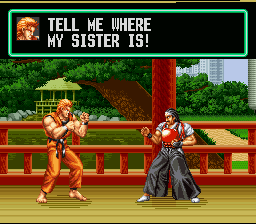
Unlike the SNES version of the first game, Final Fight 2 supports two-player simultaneous play and has a total of three playable characters. The only playable character from the first game to return is Mike Haggar. Two new player characters were introduced: Carlos Miyamoto and Maki Genryusai. In the game's plot, the three battle the resurgent Mad Gear gang at various locations around Asia and Europe to rescue Maki's sister and father, who are also the fiancée and teacher respectively of Guy from the first Final Fight.
Capcom followed up the game with another SNES-exclusive sequel, Final Fight 3, which saw the return of Guy to the series. None of the new characters from Final Fight 2 returned, although Maki made appearances in various Capcom fighting games years later.
From Wikipedia's article Final Fight 2, licensed under CC BY-SA 4.0
Keyboard controls
| SNES | Player 1 | Player 2 |
|---|---|---|
| D-pad | ↑↓←→ | IKJL |
| A | Z | M |
| B | X | N |
| X | A | U |
| Y | S | H |
| L | Q | Y |
| R | E | O |
| Select | Shift | B |
| Start | Enter | Space |
Hotkeys
- 1 Quick save state
- 2 Quick load state
- 3 Change save slot
Gamepads are detected when you press a button. Remap any key from the emulator’s Controls menu (gear icon).
Online, both players use the Player 1 keys (or a gamepad) on their own computer. Saving, loading and pausing are off while you play online.
Live chat
Connecting…
Keyboard controls
| SNES | Player 1 | Player 2 |
|---|---|---|
| D-pad | ↑↓←→ | IKJL |
| A | Z | M |
| B | X | N |
| X | A | U |
| Y | S | H |
| L | Q | Y |
| R | E | O |
| Select | Shift | B |
| Start | Enter | Space |
Hotkeys
- 1 Quick save state
- 2 Quick load state
- 3 Change save slot
Gamepads are detected when you press a button. Remap any key from the emulator’s Controls menu (gear icon).
Online, both players use the Player 1 keys (or a gamepad) on their own computer. Saving, loading and pausing are off while you play online.
Play online
Play with a friend on another computer. Host a room and send them the link; they join as Player 2 and you both see the same game.
Press Start Game first.
Go live
Let anyone watch you play, live in their browser. They see your game as you play it, and your online game when you host a room.
Press Start Game first.
Comments