Double Dragon V: The Shadow Falls

46K plays 1994 #Action#Fighting
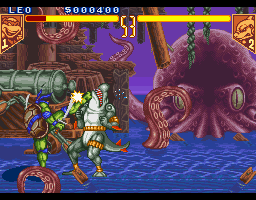
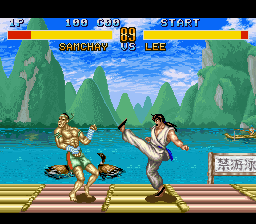
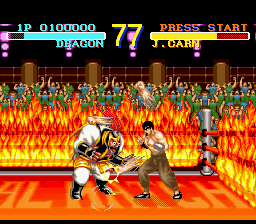
Double Dragon V: The Shadow Falls is a fighting game developed by Leland Interactive Media and published by Tradewest for the Super Nintendo Entertainment System and Sega Genesis in 1994. A port for the Atari Jaguar developed by Telegames was released the following year. It is an American-produced sequel to the Double Dragon series by Technōs Japan, who had little to no credited involvement in the development of the game outside of licensing the IP to the publisher outside Japan.
Unlike previous games in the series, which were side-scrolling beat 'em ups, Double Dragon V: The Shadow Falls is a head-to-head fighting game based on the Double Dragon animated series. Technōs would eventually produce their own fighting game based on the 1994 live-action Double Dragon film for the Neo Geo the following year, simply titled Double Dragon.
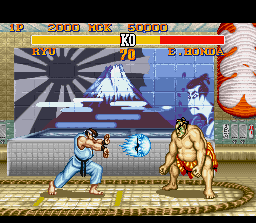
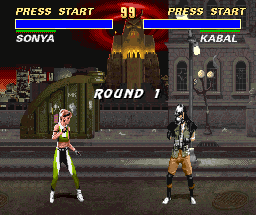
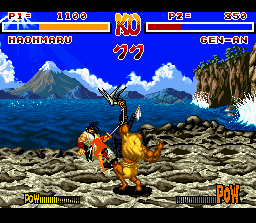
Double Dragon V: The Shadow Falls received mixed reception since it was released for the SNES and Genesis. Critics felt it was an unexceptional but respectable clone of Street Fighter II and gave positive comments in regards to the graphics and the sprite quality. However, the Jaguar version received negative reception from reviewers, who felt that the port did not improve upon the graphics and audio from the 16-bit versions and had a needlessly difficult controls layout.
From Wikipedia's article Double Dragon V: The Shadow Falls, licensed under CC BY-SA 4.0
Keyboard controls
| SNES | Player 1 | Player 2 |
|---|---|---|
| D-pad | ↑↓←→ | IKJL |
| A | Z | M |
| B | X | N |
| X | A | U |
| Y | S | H |
| L | Q | Y |
| R | E | O |
| Select | Shift | B |
| Start | Enter | Space |
Hotkeys
- 1 Quick save state
- 2 Quick load state
- 3 Change save slot
Gamepads are detected when you press a button. Remap any key from the emulator’s Controls menu (gear icon).
Online, both players use the Player 1 keys (or a gamepad) on their own computer. Saving, loading and pausing are off while you play online.
Live chat
Connecting…
Keyboard controls
| SNES | Player 1 | Player 2 |
|---|---|---|
| D-pad | ↑↓←→ | IKJL |
| A | Z | M |
| B | X | N |
| X | A | U |
| Y | S | H |
| L | Q | Y |
| R | E | O |
| Select | Shift | B |
| Start | Enter | Space |
Hotkeys
- 1 Quick save state
- 2 Quick load state
- 3 Change save slot
Gamepads are detected when you press a button. Remap any key from the emulator’s Controls menu (gear icon).
Online, both players use the Player 1 keys (or a gamepad) on their own computer. Saving, loading and pausing are off while you play online.
Play online
Play with a friend on another computer. Host a room and send them the link; they join as Player 2 and you both see the same game.
Press Start Game first.
Go live
Let anyone watch you play, live in their browser. They see your game as you play it, and your online game when you host a room.
Press Start Game first.
Comments