Mortal Kombat II

601K plays 1994 #Action#Fighting
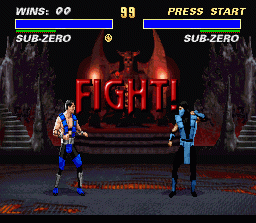
Mortal Kombat II is a 1993 fighting game developed and published by Midway for arcades. It was later ported to multiple home systems, including MS-DOS, Amiga, Game Boy, Game Gear, Sega Genesis, 32X, Sega Saturn, Super NES, and PlayStation, by Probe Software (later renamed to Probe Entertainment for some ports of the game) and Sculptured Software, and published by Acclaim Entertainment.
Mortal Kombat II is the second main installment in the Mortal Kombat franchise, and a sequel to 1992's Mortal Kombat. It improves the gameplay and expands the mythos of its predecessor while introducing more varied finishing moves (including several Fatalities per character and new finishers, such as Babality and Friendship) and several new characters such as Kitana, Mileena, Kung Lao, the hidden character Noob Saibot, and the series' recurring villain, Shao Kahn. The game's plot continues from the first game, featuring the next Mortal Kombat tournament set in the otherdimensional realm of Outworld, with the Outworld and Earthrealm representatives fighting each other on their way to challenge Shao Kahn.
From Wikipedia's article Mortal Kombat II, licensed under CC BY-SA 4.0
Keyboard controls
| SNES | Player 1 | Player 2 |
|---|---|---|
| D-pad | ↑↓←→ | IKJL |
| A | Z | M |
| B | X | N |
| X | A | U |
| Y | S | H |
| L | Q | Y |
| R | E | O |
| Select | Shift | B |
| Start | Enter | Space |
Hotkeys
- 1 Quick save state
- 2 Quick load state
- 3 Change save slot
Gamepads are detected when you press a button. Remap any key from the emulator’s Controls menu (gear icon).
Online, both players use the Player 1 keys (or a gamepad) on their own computer. Saving, loading and pausing are off while you play online.
Live chat
Connecting…
Keyboard controls
| SNES | Player 1 | Player 2 |
|---|---|---|
| D-pad | ↑↓←→ | IKJL |
| A | Z | M |
| B | X | N |
| X | A | U |
| Y | S | H |
| L | Q | Y |
| R | E | O |
| Select | Shift | B |
| Start | Enter | Space |
Hotkeys
- 1 Quick save state
- 2 Quick load state
- 3 Change save slot
Gamepads are detected when you press a button. Remap any key from the emulator’s Controls menu (gear icon).
Online, both players use the Player 1 keys (or a gamepad) on their own computer. Saving, loading and pausing are off while you play online.
Play online
Play with a friend on another computer. Host a room and send them the link; they join as Player 2 and you both see the same game.
Press Start Game first.

Comments