Shin Megami Tensei II

0 plays 1994 #RPG
Shin Megami Tensei II is a post-apocalyptic role-playing video game developed and published by Atlus. It was originally released for the Super Famicom in 1994 in Japan, and has since been ported to multiple platforms. It is the second game in the Shin Megami Tensei series, which is a subset of the larger Megami Tensei franchise.
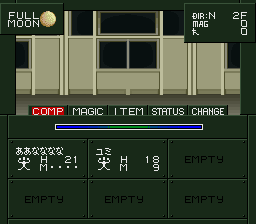
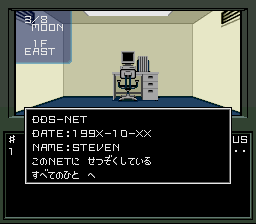
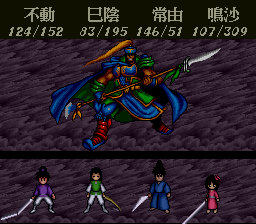
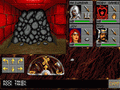
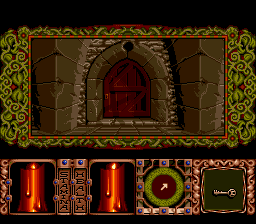
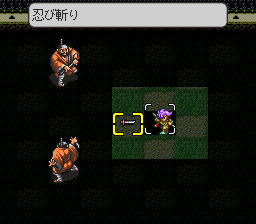
The gameplay comprises first-person exploration of dungeons and battles against demons; the player can also choose to speak to the demons, and attempt to recruit them to their party. By fusing multiple allied demons together, the player can create more powerful demons. The story is set decades after the first Shin Megami Tensei, in the encapsulated city Tokyo Millennium, which is ruled by the religious Messians from a unit called the center. The player takes the role of a gladiator who is told that he is the Messiah, and is sent on missions around Tokyo Millennium to eradicate demons and prepare for the Thousand-Year Kingdom. The plot is influenced by choices the player makes throughout the game, determining their moral alignment.
It came out only in Japan; this version has an unofficial English fan translation.
From Wikipedia's article Shin Megami Tensei II, licensed under CC BY-SA 4.0
Keyboard controls
| SNES | Player 1 | Player 2 |
|---|---|---|
| D-pad | ↑↓←→ | IKJL |
| A | Z | M |
| B | X | N |
| X | A | U |
| Y | S | H |
| L | Q | Y |
| R | E | O |
| Select | Shift | B |
| Start | Enter | Space |
Hotkeys
- 1 Quick save state
- 2 Quick load state
- 3 Change save slot
Gamepads are detected when you press a button. Remap any key from the emulator’s Controls menu (gear icon).
Online, both players use the Player 1 keys (or a gamepad) on their own computer. Saving, loading and pausing are off while you play online.
Live chat
Connecting…
Keyboard controls
| SNES | Player 1 | Player 2 |
|---|---|---|
| D-pad | ↑↓←→ | IKJL |
| A | Z | M |
| B | X | N |
| X | A | U |
| Y | S | H |
| L | Q | Y |
| R | E | O |
| Select | Shift | B |
| Start | Enter | Space |
Hotkeys
- 1 Quick save state
- 2 Quick load state
- 3 Change save slot
Gamepads are detected when you press a button. Remap any key from the emulator’s Controls menu (gear icon).
Online, both players use the Player 1 keys (or a gamepad) on their own computer. Saving, loading and pausing are off while you play online.
No reviews yet
We found no critic scores for this game, and too few players have rated it.
Review scorecard
- Graphics — Not scored Unavailable
- Sound — Not scored Unavailable
- Control — Not scored Unavailable
- Fun Factor — Not scored Unavailable
No category score or overall rating is available for the unscored slots.
Full reviews
Play online
Play with a friend on another computer. Host a room and send them the link, or list it in Open rooms for anyone to join; they play as Player 2 and you both see the same game.
Press Start Game first.
Go live
Let anyone watch you play, live in their browser. They see your game as you play it, and your online game when you host a room.
Press Start Game first.
Comments