Shin Megami Tensei if...

0 plays 1994 #RPG
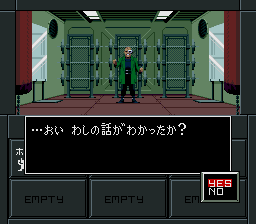
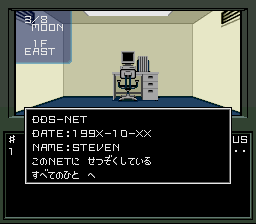
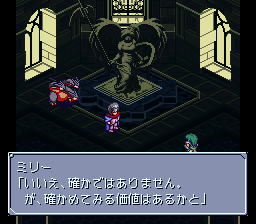
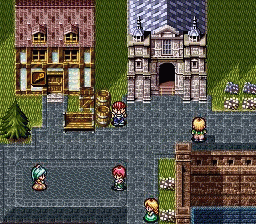
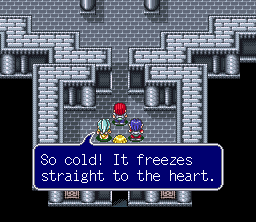
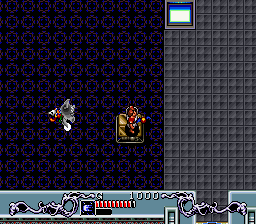
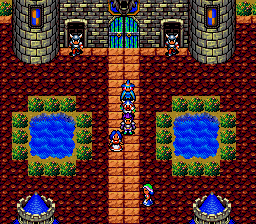
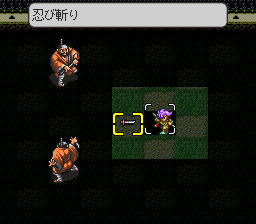
Shin Megami Tensei If…, stylized as Shin Megami Tensei if…, is a role-playing video game developed and published by Atlus exclusively released in Japan in 1994 for the Super Famicom. It is a spin-off from the Shin Megami Tensei series, itself part of the larger Megami Tensei franchise. Since release, it has been ported to mobile devices, PlayStation and Microsoft Windows; it had also been re-released on the Virtual Console in Japan on Wii in 2011 and Wii U in 2013, as well as the Nintendo Classics service in 2021. The story follows a student of Karukozaka High School after their school is sucked into the realm of demons by a vengeful student's demon summoning spell going wrong.
Shin Megami Tensei If… was developed as a change from previous Shin Megami Tensei titles, focusing on a small-scale environment and threat rather than a large-scale environment as in previous titles. Upon release, If… received a positive reception from critics and fans, and inspired multiple tie-in print adaptations and a mobile prequel. Positive response to its setting and spin-off status was the impetus for the creation of the spin-off Persona and Devil Summoner series.
It came out only in Japan; this version has an unofficial English fan translation.
From Wikipedia's article Shin Megami Tensei If..., licensed under CC BY-SA 4.0
Keyboard controls
| SNES | Player 1 | Player 2 |
|---|---|---|
| D-pad | ↑↓←→ | IKJL |
| A | Z | M |
| B | X | N |
| X | A | U |
| Y | S | H |
| L | Q | Y |
| R | E | O |
| Select | Shift | B |
| Start | Enter | Space |
Hotkeys
- 1 Quick save state
- 2 Quick load state
- 3 Change save slot
Gamepads are detected when you press a button. Remap any key from the emulator’s Controls menu (gear icon).
Online, both players use the Player 1 keys (or a gamepad) on their own computer. Saving, loading and pausing are off while you play online.
Live chat
Connecting…
Keyboard controls
| SNES | Player 1 | Player 2 |
|---|---|---|
| D-pad | ↑↓←→ | IKJL |
| A | Z | M |
| B | X | N |
| X | A | U |
| Y | S | H |
| L | Q | Y |
| R | E | O |
| Select | Shift | B |
| Start | Enter | Space |
Hotkeys
- 1 Quick save state
- 2 Quick load state
- 3 Change save slot
Gamepads are detected when you press a button. Remap any key from the emulator’s Controls menu (gear icon).
Online, both players use the Player 1 keys (or a gamepad) on their own computer. Saving, loading and pausing are off while you play online.
No reviews yet
We found no critic scores for this game, and too few players have rated it.
Review scorecard
- Graphics — Not scored Unavailable
- Sound — Not scored Unavailable
- Control — Not scored Unavailable
- Fun Factor — Not scored Unavailable
No category score or overall rating is available for the unscored slots.
Full reviews
Play online
Play with a friend on another computer. Host a room and send them the link, or list it in Open rooms for anyone to join; they play as Player 2 and you both see the same game.
Press Start Game first.
Go live
Let anyone watch you play, live in their browser. They see your game as you play it, and your online game when you host a room.
Press Start Game first.
Comments