Final Fantasy VI

193K plays 1994 #RPG
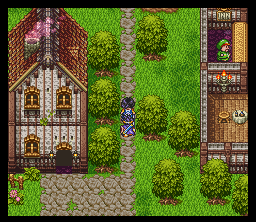
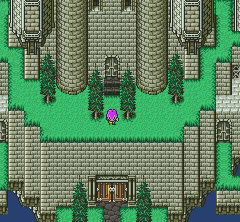
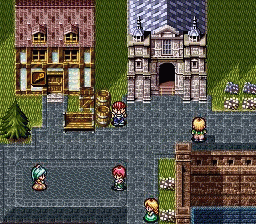
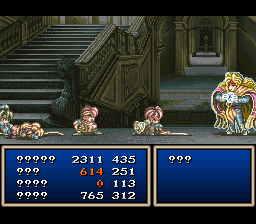
Final Fantasy VI, titled Final Fantasy III in its initial North American release, is a 1994 role-playing video game developed and published by Square for the Super Nintendo Entertainment System. It is the sixth main entry in the Final Fantasy series, the final to feature 2D sprite based graphics, and the first to be directed by someone other than series creator Hironobu Sakaguchi; the role was instead filled by Yoshinori Kitase and Hiroyuki Ito. Long-time collaborator Yoshitaka Amano returned as character designer and concept artist, while composer Nobuo Uematsu returned to compose the game's score, which has been released on several soundtrack albums.
Set in a world with technology resembling the Second Industrial Revolution, the game's story follows an expanding cast that includes fourteen permanent playable characters. The game's themes of a rebellion against an immoral military dictatorship, pursuit of a magical arms race, use of chemical weapons in warfare, depictions of violent and apocalyptic confrontations, several personal redemption arcs, teenage pregnancy, and the renewal of hope and life itself all make the storyline darker and more mature than earlier entries in the franchise.
From Wikipedia's article Final Fantasy VI, licensed under CC BY-SA 4.0
Keyboard controls
| SNES | Player 1 | Player 2 |
|---|---|---|
| D-pad | ↑↓←→ | IKJL |
| A | Z | M |
| B | X | N |
| X | A | U |
| Y | S | H |
| L | Q | Y |
| R | E | O |
| Select | Shift | B |
| Start | Enter | Space |
Hotkeys
- 1 Quick save state
- 2 Quick load state
- 3 Change save slot
Gamepads are detected when you press a button. Remap any key from the emulator’s Controls menu (gear icon).
Online, both players use the Player 1 keys (or a gamepad) on their own computer. Saving, loading and pausing are off while you play online.
Live chat
Connecting…
Keyboard controls
| SNES | Player 1 | Player 2 |
|---|---|---|
| D-pad | ↑↓←→ | IKJL |
| A | Z | M |
| B | X | N |
| X | A | U |
| Y | S | H |
| L | Q | Y |
| R | E | O |
| Select | Shift | B |
| Start | Enter | Space |
Hotkeys
- 1 Quick save state
- 2 Quick load state
- 3 Change save slot
Gamepads are detected when you press a button. Remap any key from the emulator’s Controls menu (gear icon).
Online, both players use the Player 1 keys (or a gamepad) on their own computer. Saving, loading and pausing are off while you play online.
Play online
Play with a friend on another computer. Host a room and send them the link; they join as Player 2 and you both see the same game.
Press Start Game first.
Comments