Mountain King
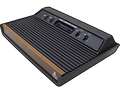
85K plays 1983 #Action#Platform
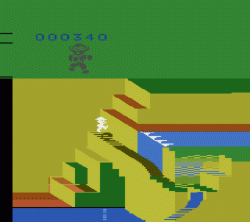
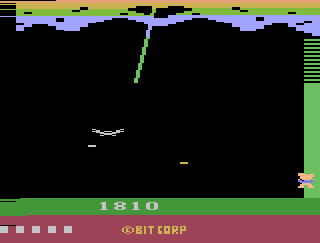
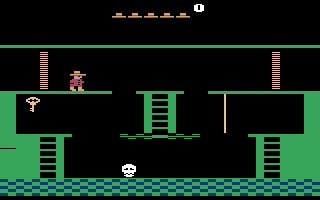
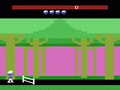
Mountain King is a multidirectional scrolling platform game published by CBS Electronics in 1983. It was designed by E. F. Dreyer and Robert Matson, and programmed by Matson, for the Atari 8-bit computers. It was converted to the Atari 2600, Atari 5200, ColecoVision, Commodore 64, and VIC-20. Along with Tunnel Runner and Omega Race, the Atari 2600 cartridge includes 256 bytes of random access memory, a feature promoted as "RAM Plus".
From Wikipedia's article Mountain King (video game)
Keyboard controls
| Atari 2600 | Player 1 | Player 2 |
|---|---|---|
| D-pad | ↑↓←→ | IKJL |
| Fire | Z | N |
| Game Select | Shift | |
| Game Reset | Enter |
Hotkeys
- 1 Quick save state
- 2 Quick load state
- 3 Change save slot
Most games start with Game Reset. Paddle games (Breakout, Kaboom!…) need a gamepad stick.
Gamepads are detected when you press a button. Remap any key from the emulator’s Controls menu (gear icon).
From the manual, pages 2–3
Live chat
Connecting…
Keyboard controls
| Atari 2600 | Player 1 | Player 2 |
|---|---|---|
| D-pad | ↑↓←→ | IKJL |
| Fire | Z | N |
| Game Select | Shift | |
| Game Reset | Enter |
Hotkeys
- 1 Quick save state
- 2 Quick load state
- 3 Change save slot
Most games start with Game Reset. Paddle games (Breakout, Kaboom!…) need a gamepad stick.
Gamepads are detected when you press a button. Remap any key from the emulator’s Controls menu (gear icon).
From the manual, pages 2–3
3.0 Good job
Players 74 · 40 votes
No critic scores found for this game: this is the players' rating.
Review scorecard
- Graphics 3.0 out of 5 Overall fallback
- Sound 3.0 out of 5 Overall fallback
- Control 3.0 out of 5 Overall fallback
- Fun Factor 3.0 out of 5 Overall fallback
Overall fallback: Players 74 · 40 votes. The same 74/100 overall rating fills missing categories using the face scale; these are not separate category scores. Player rating; no critic scores available.
What the reviews talk about
Full reviews
Go live
Let anyone watch you play, live in their browser. They see your game as you play it.
Press Start Game first.
Comments