Pitfall II: Lost Caverns
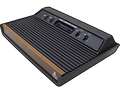
142K plays 1984 #Action#Platform
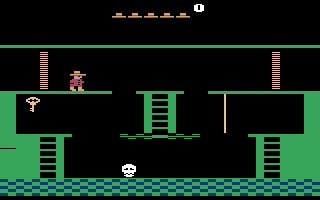
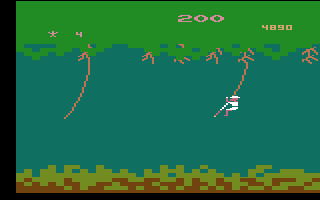
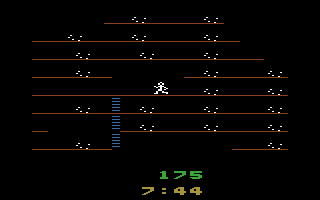
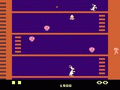
Pitfall II: Lost Caverns is a 1984 platform video game developed by David Crane and published by Activision for the Atari 2600. The player controls Pitfall Harry, who must explore the wilds of Peru to find the Raj diamond and rescue his niece Rhonda and their animal friend Quickclaw. The game world is populated by various enemies and hazards that variously cause the player to lose points and return to a checkpoint.
The game is a sequel to Pitfall! (1982), one of the best-selling Atari 2600 video games. Crane found that the Atari 2600 hardware was out of date when developing the sequel, which led to him creating a custom computer chip called the Display Processor Chip for Pitfall II: Lost Caverns. This allowed for more complex graphics and background music than its predecessor.
Pitfall II received positive reviews for its expanded gameplay, with reviewers finding it superior to Pitfall!. It became the top selling console game of the year and was ported to other consoles and home computers. Retrospective reviews have continued to be positive, with Retro Gamer listing it as the best game on the Atari 2600 and other critics noting its gameplay innovations, such as being among the first games to include a checkpoint system.
From Wikipedia's article Pitfall II: Lost Caverns
Keyboard controls
| Atari 2600 | Player 1 | Player 2 |
|---|---|---|
| D-pad | ↑↓←→ | IKJL |
| Fire | Z | N |
| Game Select | Shift | |
| Game Reset | Enter |
Hotkeys
- 1 Quick save state
- 2 Quick load state
- 3 Change save slot
Most games start with Game Reset. Paddle games (Breakout, Kaboom!…) need a gamepad stick.
Gamepads are detected when you press a button. Remap any key from the emulator’s Controls menu (gear icon).
From the manual, page 2
Live chat
Connecting…
Keyboard controls
| Atari 2600 | Player 1 | Player 2 |
|---|---|---|
| D-pad | ↑↓←→ | IKJL |
| Fire | Z | N |
| Game Select | Shift | |
| Game Reset | Enter |
Hotkeys
- 1 Quick save state
- 2 Quick load state
- 3 Change save slot
Most games start with Game Reset. Paddle games (Breakout, Kaboom!…) need a gamepad stick.
Gamepads are detected when you press a button. Remap any key from the emulator’s Controls menu (gear icon).
From the manual, page 2
3.5 Good job
Players 75 · 193 votes
No critic scores found for this game: this is the players' rating.
Review scorecard
- Graphics 3.5 out of 5 Overall fallback
- Sound 3.5 out of 5 Overall fallback
- Control 3.5 out of 5 Overall fallback
- Fun Factor 3.5 out of 5 Overall fallback
Overall fallback: Players 75 · 193 votes. The same 75/100 overall rating fills missing categories using the face scale; these are not separate category scores. Player rating; no critic scores available.
What the reviews talk about
Key wordsoriginalambitiousannoyinginnovativeplayableimpressive
Full reviews
Go live
Let anyone watch you play, live in their browser. They see your game as you play it.
Press Start Game first.
Comments