Dig Dug

1.4M plays 1982 #Action#Platform
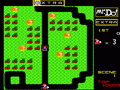
Dig Dug is a 1982 maze video game developed and published by Namco for arcades. It was released by Atari, Inc. in North America. The player digs underground tunnels in each level to escape and attack enemy characters, by either inflating them to bursting or crushing them underneath rocks.
Dig Dug was planned and designed by Masahisa Ikegami with help from Galaga creator Shigeru Yokoyama. It was programmed for the Namco Galaga arcade board by Shouichi Fukatani, who worked on many of Namco's earlier arcade games, along with Toshio Sakai. Music was composed by Yuriko Keino, including the character movement jingle at executives' request, as her first Namco game. Namco heavily marketed it as a "strategic digging game".
Upon release, Dig Dug was well received by critics for its engaging gameplay and kawaii character design. During the golden age of arcade video games, it was globally successful, including as the second highest-grossing arcade game of 1982 in Japan. It prompted a long series of sequels and spin-offs, including the Mr. Driller series, for several platforms. It is in many Namco video game compilations for many systems.
From Wikipedia's article Dig Dug, licensed under CC BY-SA 4.0
Keyboard controls
| Atari 2600 | Player 1 | Player 2 |
|---|---|---|
| D-pad | ↑↓←→ | IKJL |
| Fire | Z | N |
| Game Select | Shift | |
| Game Reset | Enter |
Hotkeys
- 1 Quick save state
- 2 Quick load state
- 3 Change save slot
Most games start with Game Reset. Paddle games (Breakout, Kaboom!…) need a gamepad stick.
Gamepads are detected when you press a button. Remap any key from the emulator’s Controls menu (gear icon).
Live chat
Connecting…
Keyboard controls
| Atari 2600 | Player 1 | Player 2 |
|---|---|---|
| D-pad | ↑↓←→ | IKJL |
| Fire | Z | N |
| Game Select | Shift | |
| Game Reset | Enter |
Hotkeys
- 1 Quick save state
- 2 Quick load state
- 3 Change save slot
Most games start with Game Reset. Paddle games (Breakout, Kaboom!…) need a gamepad stick.
Gamepads are detected when you press a button. Remap any key from the emulator’s Controls menu (gear icon).



















Comments