The Legend of Zelda: Ocarina of Time
0 plays 1998 #RPG
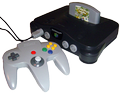
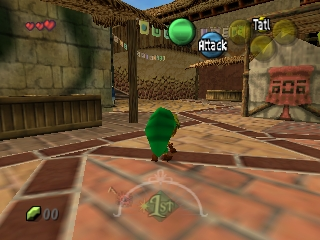
The Legend of Zelda: Ocarina of Time is a 1998 action-adventure game developed and published by Nintendo for the Nintendo 64. It was the first Legend of Zelda game with 3D graphics. It was released in Japan and North America in November 1998 and in PAL regions the following month.
Ocarina of Time was developed by Nintendo's Entertainment Analysis & Development division. It was led by five directors, including Eiji Aonuma and Yoshiaki Koizumi, produced by series co-creator Shigeru Miyamoto, and written by Kensuke Tanabe. Series composer Koji Kondo wrote its soundtrack. The player controls Link in the realm of Hyrule on a quest to stop the evil king Ganondorf by traveling through time and navigating dungeons and an overworld. The game introduced features such as a target-lock system and context-sensitive buttons, which have since become common in 3D adventure games. The player must play songs on an ocarina to progress.
Ocarina of Time was acclaimed by critics, who praised its visuals, sound, gameplay, soundtrack, and writing. It has been ranked by numerous publications as one of the greatest video games and is the highest-rated game on the review aggregators Metacritic and GameRankings. It set a record for video game pre-orders in the US and sold more than seven million copies worldwide.
From Wikipedia's article The Legend of Zelda: Ocarina of Time, licensed under CC BY-SA 4.0
Keyboard controls
| N64 | Player 1 |
|---|---|
| Stick | ↑↓←→ |
| A | X |
| B | C |
| Z | Z |
| L | A |
| R | S |
| C buttons | IKJL |
| D-pad | TGFH |
| Start | Enter |
Hotkeys
- 1 Quick save state
- 2 Quick load state
- 3 Change save slot
A gamepad with an analog stick plays much better than the keyboard.
Gamepads are detected when you press a button. Remap any key from the emulator’s Controls menu (gear icon).
Live chat
Connecting…
Keyboard controls
| N64 | Player 1 |
|---|---|
| Stick | ↑↓←→ |
| A | X |
| B | C |
| Z | Z |
| L | A |
| R | S |
| C buttons | IKJL |
| D-pad | TGFH |
| Start | Enter |
Hotkeys
- 1 Quick save state
- 2 Quick load state
- 3 Change save slot
A gamepad with an analog stick plays much better than the keyboard.
Gamepads are detected when you press a button. Remap any key from the emulator’s Controls menu (gear icon).
No reviews yet
We found no critic scores for this game, and too few players have rated it.
Review scorecard
- Graphics — Not scored Unavailable
- Sound — Not scored Unavailable
- Control — Not scored Unavailable
- Fun Factor — Not scored Unavailable
No category score or overall rating is available for the unscored slots.

Comments