Banjo-Kazooie
234K plays 1998 #Action#Platform
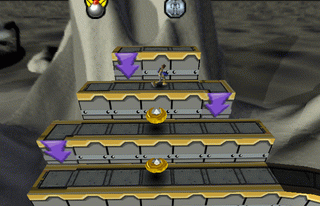
Banjo-Kazooie is a 1998 platform game developed by Rare and published by Nintendo for the Nintendo 64. Controlling the player characters, the bear Banjo and the bird Kazooie, the player attempts to save Banjo's kidnapped sister Tooty from the witch Gruntilda. The player explores nine nonlinear worlds to gather items and progress. Using Banjo and Kazooie's traversal and combat abilities, they complete challenges such as solving puzzles, jumping over obstacles, and defeating bosses.
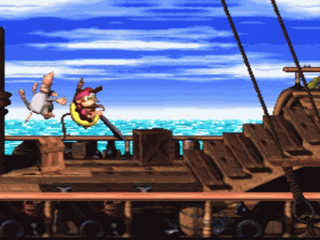
Rare conceived Banjo-Kazooie as a role-playing video game, Dream, for the Super Nintendo Entertainment System following the completion of Donkey Kong Country 2: Diddy's Kong Quest (1995). The 15-member team, led by Gregg Mayles, transitioned development to the Nintendo 64 and retooled the game as a platformer after the role-playing format proved too complex. Banjo-Kazooie was inspired by Super Mario 64 (1996) and designed to appeal to a broad audience, similar to Disney films. Grant Kirkhope composed the soundtrack; Banjo-Kazooie was one of the first games to feature vertical remixing, where various sound layers fade in and out depending on the player's location.
From Wikipedia's article Banjo-Kazooie (video game), licensed under CC BY-SA 4.0
Keyboard controls
| N64 | Player 1 |
|---|---|
| Stick | ↑↓←→ |
| A | X |
| B | C |
| Z | Z |
| L | A |
| R | S |
| C buttons | IKJL |
| D-pad | TGFH |
| Start | Enter |
Hotkeys
- 1 Quick save state
- 2 Quick load state
- 3 Change save slot
A gamepad with an analog stick plays much better than the keyboard.
Gamepads are detected when you press a button. Remap any key from the emulator’s Controls menu (gear icon).
From the manual, pages 6–7
Live chat
Connecting…
Keyboard controls
| N64 | Player 1 |
|---|---|
| Stick | ↑↓←→ |
| A | X |
| B | C |
| Z | Z |
| L | A |
| R | S |
| C buttons | IKJL |
| D-pad | TGFH |
| Start | Enter |
Hotkeys
- 1 Quick save state
- 2 Quick load state
- 3 Change save slot
A gamepad with an analog stick plays much better than the keyboard.
Gamepads are detected when you press a button. Remap any key from the emulator’s Controls menu (gear icon).


Comments