Math Gran Prix

25K plays 1982 #Puzzle#Educational
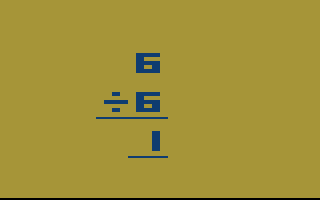
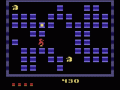
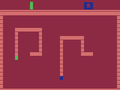
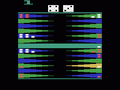
Math Gran Prix is educational game for Atari 2600. Get ready for a math race. Your fuel, correctly answer math questions. Your car, a carefully tuned racing car that can move 2 to 3 spaces depending on how hard the math problem is. The track contains many triggers that can give extra spaces, extra turns, and even keep your car on the track. There are areas in the track where a car coming from behind can knock you off, to get back answer a math problem correctly. In the end, the one with the most math skills and greatest planning effort will win the checkered flag.
Difficulty switches
Left switch for player one, right switch for player two.
Set to A for time limit (one minute for addition and subtraction, two minutes for multiplication and division).
Set to B for no time limit.
Game variations
Games one, four and seven are easy
Games two, five and eight are medium
Games three, six and nine are hard
Games one, two and three contain only addition and subtraction problems
Games four, five and six contain only multiplication and division problems
Games seven, eight and nine contain all four math problem types.
Text: RetroGames.cz, licensed under CC BY-SA 3.0
Keyboard controls
| Atari 2600 | Player 1 | Player 2 |
|---|---|---|
| D-pad | ↑↓←→ | IKJL |
| Fire | Z | N |
| Game Select | Shift | |
| Game Reset | Enter |
Hotkeys
- 1 Quick save state
- 2 Quick load state
- 3 Change save slot
Most games start with Game Reset. Paddle games (Breakout, Kaboom!…) need a gamepad stick.
Gamepads are detected when you press a button. Remap any key from the emulator’s Controls menu (gear icon).
Live chat
Connecting…
Keyboard controls
| Atari 2600 | Player 1 | Player 2 |
|---|---|---|
| D-pad | ↑↓←→ | IKJL |
| Fire | Z | N |
| Game Select | Shift | |
| Game Reset | Enter |
Hotkeys
- 1 Quick save state
- 2 Quick load state
- 3 Change save slot
Most games start with Game Reset. Paddle games (Breakout, Kaboom!…) need a gamepad stick.
Gamepads are detected when you press a button. Remap any key from the emulator’s Controls menu (gear icon).

Comments