Final Fantasy: Mystic Quest

0 plays 1992 #RPG
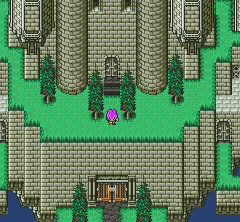
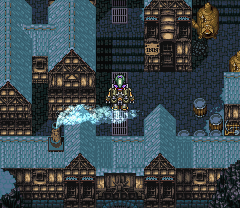
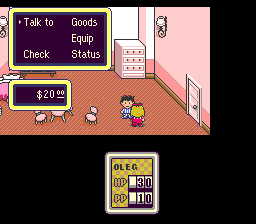
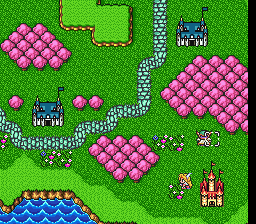
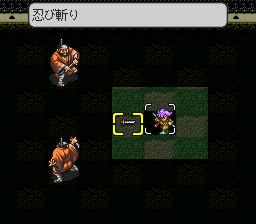
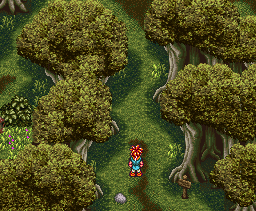
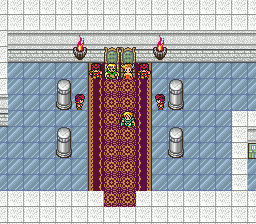
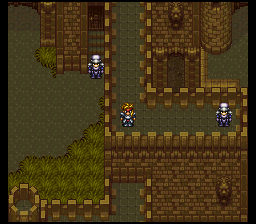
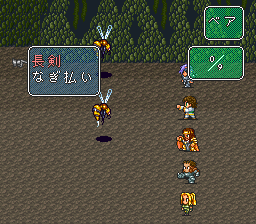
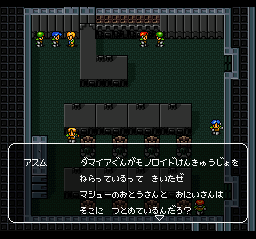
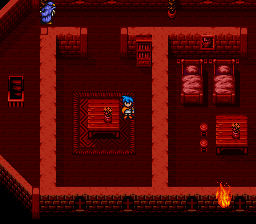
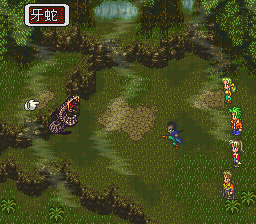
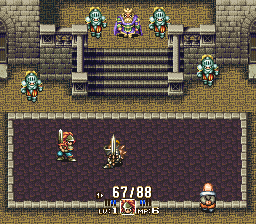
Final Fantasy Mystic Quest, released as Mystic Quest Legend in PAL regions and as Final Fantasy USA: Mystic Quest in Japan, is a 1992 role-playing video game developed and published by Square for the Super Nintendo Entertainment System. It is a spin-off of the broader Final Fantasy series. Final Fantasy Mystic Quest was first released in North America in 1992 and marketed as a "simplified role-playing game... designed for the entry-level player" in an attempt to broaden the genre's appeal. The game's presentation and battle system is broadly similar to that of the main series, but differs in its inclusion of action-adventure game elements. It was also the first Final Fantasy game to be released in Europe.
The player controls a youth named Benjamin in his quest to save the world. His goal is to reclaim a set of stolen crystals that determine the state of the world's four elemental powers. The gameplay takes a departure from the main series in a variety of ways, eliminating many series staples such as random battles, save points, manual equipment, and the party system. The game received middling reviews and sales in North America and Japan, citing its simplified gameplay and lack of depth in the game's story. It has retained its reputation for being a "beginner's Final Fantasy" and has been praised for its music.
From Wikipedia's article Final Fantasy Mystic Quest
Keyboard controls
| SNES | Player 1 | Player 2 |
|---|---|---|
| D-pad | ↑↓←→ | IKJL |
| A | Z | M |
| B | X | N |
| X | A | U |
| Y | S | H |
| L | Q | Y |
| R | E | O |
| Select | Shift | B |
| Start | Enter | Space |
Hotkeys
- 1 Quick save state
- 2 Quick load state
- 3 Change save slot
Gamepads are detected when you press a button. Remap any key from the emulator’s Controls menu (gear icon).
Online, both players use the Player 1 keys (or a gamepad) on their own computer. Saving, loading and pausing are off while you play online.
Live chat
Connecting…
Keyboard controls
| SNES | Player 1 | Player 2 |
|---|---|---|
| D-pad | ↑↓←→ | IKJL |
| A | Z | M |
| B | X | N |
| X | A | U |
| Y | S | H |
| L | Q | Y |
| R | E | O |
| Select | Shift | B |
| Start | Enter | Space |
Hotkeys
- 1 Quick save state
- 2 Quick load state
- 3 Change save slot
Gamepads are detected when you press a button. Remap any key from the emulator’s Controls menu (gear icon).
Online, both players use the Player 1 keys (or a gamepad) on their own computer. Saving, loading and pausing are off while you play online.
2.5 Could be better
GameRankings 67%
Review scorecard
- Graphics 2.5 out of 5 Overall fallback
- Sound 2.5 out of 5 Overall fallback
- Control 2.5 out of 5 Overall fallback
- Fun Factor 2.5 out of 5 Overall fallback
Overall fallback: GameRankings 67%. Overall source The same 67/100 overall rating fills missing categories using the face scale; these are not separate category scores.
What the reviews talk about
Key wordseasysimplisticsmoothrepetitive
What the critics said
Electronic Games described the title as "Final Fantasy with an identity crisis" due to the inherent flaw of creating a game that didn't appeal to the masses or the hard-core gaming audience.
— Electronic Games
It was, however, praised for its music, including 1UP.com praising its "sweet sampled metal guitar licks", and listed the final boss battle music as one of the must download songs for the Final Fantasy music game Theatrhythm Final Fantasy.
— 1Up.com, 2010
From the Reception section of Wikipedia's Final Fantasy Mystic Quest article.
Scores
- 86 Electronic Games 86%
- 80 GamePro1992 16/20
- 79 RPGFan 79%
- 75 GamesMaster2013 75%
- 73 Electronic Gaming Monthly1992 7/10, 8/10, 7/10, 7/10
- 58 Famitsu1993 23/40
From the review table in Wikipedia's Final Fantasy Mystic Quest article.
Full reviews
Play online
Play with a friend on another computer. Host a room and send them the link, or list it in Open rooms for anyone to join; they play as Player 2 and you both see the same game.
Press Start Game first.
Go live
Let anyone watch you play, live in their browser. They see your game as you play it, and your online game when you host a room.
Press Start Game first.
Comments