Tetris Attack
478K plays 1996 #Action#Puzzle
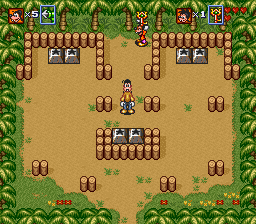
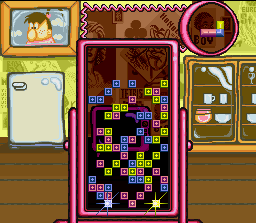
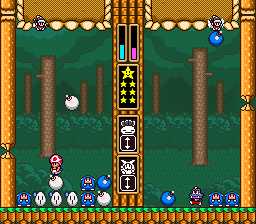
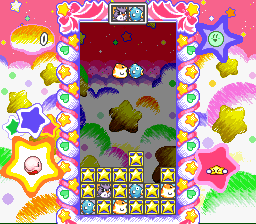
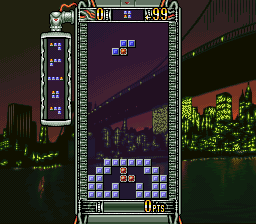
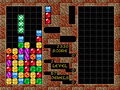
Tetris Attack, also known as Panel de Pon in Japan, is a 1995 puzzle video game developed by Intelligent Systems and published by Nintendo for the Super Nintendo Entertainment System. A Game Boy version was released a year later. In the game, the player must arrange matching colored blocks in vertical or horizontal rows to clear them. The blocks steadily rise to the top of the playfield, with new blocks being added at the bottom. Several gameplay modes are present, including a time attack and multiplayer mode.
Tetris Attack was first released as Panel de Pon in Japan in October 1995, featuring fairies as the main characters with a mythical fantasy setting. The game was released outside Japan in 1996, with the original characters and settings replaced by those from Super Mario World 2: Yoshi's Island. Though international releases have the name Tetris Attack, the game bears no relation to the Tetris video game series, leading Tetris Company co-founder Henk Rogers to regret giving Nintendo the license to use the name. Both Panel de Pon and Tetris Attack were later broadcast through the Japan-only Satellaview peripheral, the latter renamed to BS Yoshi's Panepon.
From Wikipedia's article Tetris Attack
Keyboard controls
| SNES | Player 1 | Player 2 |
|---|---|---|
| D-pad | ↑↓←→ | IKJL |
| A | Z | M |
| B | X | N |
| X | A | U |
| Y | S | H |
| L | Q | Y |
| R | E | O |
| Select | Shift | B |
| Start | Enter | Space |
Hotkeys
- 1 Quick save state
- 2 Quick load state
- 3 Change save slot
Gamepads are detected when you press a button. Remap any key from the emulator’s Controls menu (gear icon).
Online, both players use the Player 1 keys (or a gamepad) on their own computer. Saving, loading and pausing are off while you play online.
From the manual, pages 3–4
Live chat
Connecting…
Keyboard controls
| SNES | Player 1 | Player 2 |
|---|---|---|
| D-pad | ↑↓←→ | IKJL |
| A | Z | M |
| B | X | N |
| X | A | U |
| Y | S | H |
| L | Q | Y |
| R | E | O |
| Select | Shift | B |
| Start | Enter | Space |
Hotkeys
- 1 Quick save state
- 2 Quick load state
- 3 Change save slot
Gamepads are detected when you press a button. Remap any key from the emulator’s Controls menu (gear icon).
Online, both players use the Player 1 keys (or a gamepad) on their own computer. Saving, loading and pausing are off while you play online.
From the manual, pages 3–4
4.0 Great job!
Critics 84 · 4 reviews
Review scorecard
- Graphics 4.0 out of 5 Overall fallback
- Sound 4.0 out of 5 Overall fallback
- Control 4.0 out of 5 Overall fallback
- Fun Factor 4.0 out of 5 Overall fallback
Overall fallback: Critics 84 · 4 reviews. Overall source The same 84/100 overall rating fills missing categories using the face scale; these are not separate category scores.
What the reviews talk about
Key wordsaddictivecolourfuleasyoriginal
What the critics said
The reviewer described it as "a gentler, slower style of gameplay that requires learning some easy new controls, but this game's no less addicting than the original Tetris."
— GamePro, 1996
GamePro gave the Game Boy version a brief positive review, saying it "updates the age-old Tetris concept by inverting the basic action".
— GamePro, 1997 · about another version
From the Reception section of Wikipedia's Tetris Attack article.
Scores
- 90 Honest Gamers2004 9/10 (SNES)
- 90 AllGame 4.5/5 (SNES)
- 83 Electronic Gaming Monthly 8.25/10 (SNES)
- 73 Famitsu 7/10, 7/10, 8/10, 7/10
From the review table in Wikipedia's Tetris Attack article.
Full reviews
Play online
Play with a friend on another computer. Host a room and send them the link, or list it in Open rooms for anyone to join; they play as Player 2 and you both see the same game.
Press Start Game first.
Go live
Let anyone watch you play, live in their browser. They see your game as you play it, and your online game when you host a room.
Press Start Game first.
Comments