Super 3D Noah’s Ark

16K plays 1994 #Action#Shooter#Educational
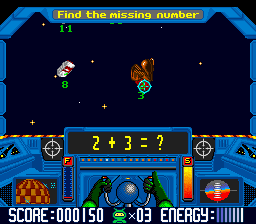
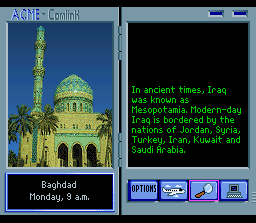
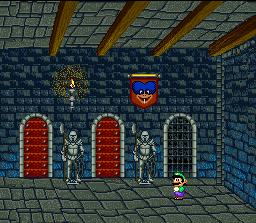
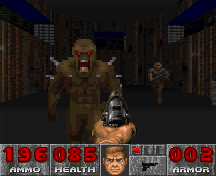
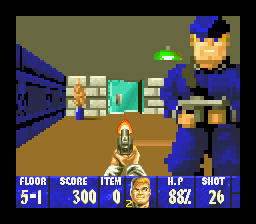
Super 3D Noah's Ark is a non-violent Christian first-person shooter developed and published by Wisdom Tree for the Super Nintendo Entertainment System (SNES) in 1994 and MS-DOS in 1995. Its gameplay is similar to that of Wolfenstein 3D, as Wisdom Tree had licensed that game's engine from id Software. Wisdom Tree opted not to secure a license from Nintendo for the game's Super NES release. While not illegal, it prevented the game from being sold at most video game retailers, which were under a contractual agreement with Nintendo not to sell unlicensed games for the company's consoles. As a result, the Super NES release of Super 3D Noah's Ark was sold primarily via Christian bookstores.
The game was re-released for Windows, macOS, and Linux on itch.io on May 26, 2014 and Steam on June 23, 2015.
From Wikipedia's article Super 3D Noah's Ark, licensed under CC BY-SA 4.0
Keyboard controls
| SNES | Player 1 | Player 2 |
|---|---|---|
| D-pad | ↑↓←→ | IKJL |
| A | Z | M |
| B | X | N |
| X | A | U |
| Y | S | H |
| L | Q | Y |
| R | E | O |
| Select | Shift | B |
| Start | Enter | Space |
Hotkeys
- 1 Quick save state
- 2 Quick load state
- 3 Change save slot
Gamepads are detected when you press a button. Remap any key from the emulator’s Controls menu (gear icon).
Online, both players use the Player 1 keys (or a gamepad) on their own computer. Saving, loading and pausing are off while you play online.
Live chat
Connecting…
Keyboard controls
| SNES | Player 1 | Player 2 |
|---|---|---|
| D-pad | ↑↓←→ | IKJL |
| A | Z | M |
| B | X | N |
| X | A | U |
| Y | S | H |
| L | Q | Y |
| R | E | O |
| Select | Shift | B |
| Start | Enter | Space |
Hotkeys
- 1 Quick save state
- 2 Quick load state
- 3 Change save slot
Gamepads are detected when you press a button. Remap any key from the emulator’s Controls menu (gear icon).
Online, both players use the Player 1 keys (or a gamepad) on their own computer. Saving, loading and pausing are off while you play online.
Play online
Play with a friend on another computer. Host a room and send them the link; they join as Player 2 and you both see the same game.
Press Start Game first.
Go live
Let anyone watch you play, live in their browser. They see your game as you play it, and your online game when you host a room.
Press Start Game first.
Comments