Star Fox
139K plays 1993 #Action#Shooter
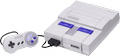
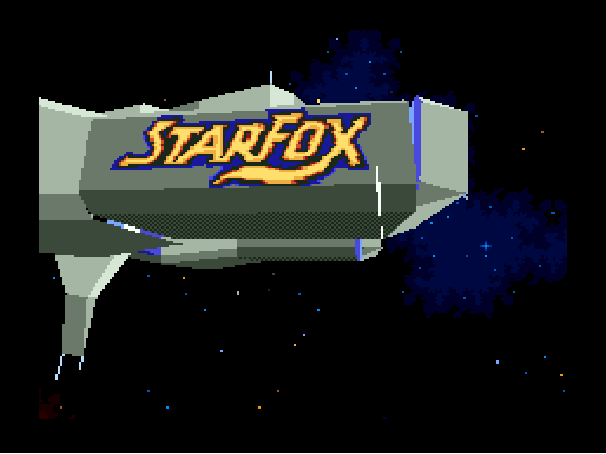
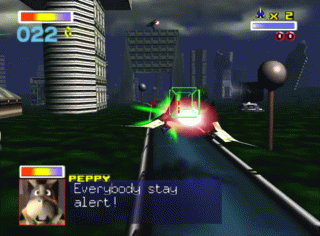
Star Fox, known as Starwing in PAL regions, is a 1993 rail shooter game developed by Nintendo EAD and Argonaut Software, and published by Nintendo for the Super Nintendo Entertainment System (SNES). The first entry in the Star Fox series, the story follows pilot Fox McCloud and his elite squadron of mercenaries known as the Star Fox team defending their homeworld of Corneria against the invading forces of the malevolent mad scientist Andross.
It was the second 3D Nintendo game after X for the Game Boy in 1992, and the first Nintendo game to use polygonal graphics, achieved with the Super FX graphics chip included in the cartridge. At the time, the complex display of three-dimensional models using polygons was uncommon in console games.
Regarded as one of the greatest and most influential video games of all time, Star Fox pioneered 3D rail shooter gameplay on home consoles, popularized the use of the Super FX chip, and established the Star Fox series as a flagship Nintendo franchise. The game received critical acclaim, sold more than 4 million copies, and inspired numerous sequels and spin-offs. A sequel, Star Fox 2, was developed but remained unreleased until 2017 as part of the Super NES Classic Edition. The next-released game in the series, Star Fox 64, is a 1997 reboot for the Nintendo 64 and further expanded the series' influence on 3D space combat and squad-based gameplay.
From Wikipedia's article Star Fox (1993 video game)
Keyboard controls
| SNES | Player 1 | Player 2 |
|---|---|---|
| D-pad | ↑↓←→ | IKJL |
| A | Z | M |
| B | X | N |
| X | A | U |
| Y | S | H |
| L | Q | Y |
| R | E | O |
| Select | Shift | B |
| Start | Enter | Space |
Hotkeys
- 1 Quick save state
- 2 Quick load state
- 3 Change save slot
Gamepads are detected when you press a button. Remap any key from the emulator’s Controls menu (gear icon).
Online, both players use the Player 1 keys (or a gamepad) on their own computer. Saving, loading and pausing are off while you play online.
From the manual, page 4
Live chat
Connecting…
Keyboard controls
| SNES | Player 1 | Player 2 |
|---|---|---|
| D-pad | ↑↓←→ | IKJL |
| A | Z | M |
| B | X | N |
| X | A | U |
| Y | S | H |
| L | Q | Y |
| R | E | O |
| Select | Shift | B |
| Start | Enter | Space |
Hotkeys
- 1 Quick save state
- 2 Quick load state
- 3 Change save slot
Gamepads are detected when you press a button. Remap any key from the emulator’s Controls menu (gear icon).
Online, both players use the Player 1 keys (or a gamepad) on their own computer. Saving, loading and pausing are off while you play online.
From the manual, page 4
4.5 Great job!
GameRankings 88%
Review scorecard
- Graphics 4.5 out of 5 Overall fallback
- Sound 4.5 out of 5 Overall fallback
- Control 4.5 out of 5 Overall fallback
- Fun Factor 4.5 out of 5 Overall fallback
Overall fallback: GameRankings 88%. Overall source The same 88/100 overall rating fills missing categories using the face scale; these are not separate category scores.
What the reviews talk about
Key wordsgroundbreaking
Scores
- 100 GamePro 20/20
- 97 GamesMaster 97%
- 96 Computer and Video Games 96/100
- 96 Official Nintendo Magazine 96/100
- 96 Total! (UK) 96% ; (DE) 1-
- 96 Super Action 96%
- 96 Super Gamer 96%
- 96 Super Pro 96/100
- 95 Electronic Games 95%
- 95 Entertainment Weekly A
- 95 Nintendo Game Zone 95/100
- 94 GameFan 94%, 96%, 91%, 95%
- 94 Control 94%
- 93 Super Play 93%
- 92 N-Force 92/100
- 90 EP Daily1995 9/10
- 90 VideoGames & Computer Entertainment 9/10
- 88 Electronic Gaming Monthly 9/10, 8/10, 9/10, 9/10
- 88 Game Informer 9.25/10 ; 8.25/10
- 85 Famitsu 10/10, 9/10, 8/10, 7/10
- 85 Marukatsu Super Famicom 8/10, 10/10, 7/10, 9/10
- 85 SNES Force 85%
- 83 Nintendo Power 4.125/5
- 80 Hippon Super! 8/10
From the review table in Wikipedia's Star Fox (1993 video game) article.
Full reviews
Play online
Play with a friend on another computer. Host a room and send them the link, or list it in Open rooms for anyone to join; they play as Player 2 and you both see the same game.
Press Start Game first.
Go live
Let anyone watch you play, live in their browser. They see your game as you play it, and your online game when you host a room.
Press Start Game first.
Comments