Star Fox 2

0 plays #Shooter
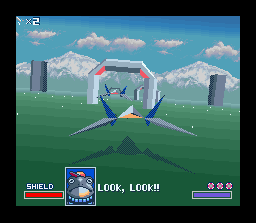
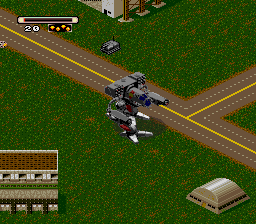
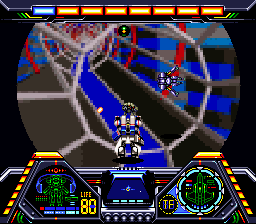
Star Fox 2 is a shoot 'em up game developed by Nintendo and Argonaut Software for the Super Nintendo Entertainment System (SNES). It was completed in 1995, but was not released until 2017 on the Super NES Classic Edition. Like the original Star Fox (1993), the player controls the Star Fox team as they battle Emperor Andross, who survived his previous defeat and seeks to destroy the Lylat System. Star Fox 2 introduces semi-real-time gameplay, new ship types, new playable characters, and a more advanced 3D game engine.
The development began after Star Fox's release, with Katsuya Eguchi, Shigeru Miyamoto, and Dylan Cuthbert returning as director, producer, and lead programmer. Like the original, Star Fox 2 pushed the SNES's graphical capabilities with Argonaut's Super FX chip. The team experimented more than they had with Star Fox and incorporated platforming and roguelike elements. Star Fox 2 was set for release in August 1995, but 3D technology was advancing quickly, with competition from the Sony PlayStation and Sega Saturn. Concerned that Star Fox 2's 16-bit graphics would compare poorly against newer games, Nintendo canceled the release to prioritize its upcoming Nintendo 64 console.
From Wikipedia's article Star Fox 2, licensed under CC BY-SA 4.0
Keyboard controls
| SNES | Player 1 | Player 2 |
|---|---|---|
| D-pad | ↑↓←→ | IKJL |
| A | Z | M |
| B | X | N |
| X | A | U |
| Y | S | H |
| L | Q | Y |
| R | E | O |
| Select | Shift | B |
| Start | Enter | Space |
Hotkeys
- 1 Quick save state
- 2 Quick load state
- 3 Change save slot
Gamepads are detected when you press a button. Remap any key from the emulator’s Controls menu (gear icon).
Online, both players use the Player 1 keys (or a gamepad) on their own computer. Saving, loading and pausing are off while you play online.
Live chat
Connecting…
Keyboard controls
| SNES | Player 1 | Player 2 |
|---|---|---|
| D-pad | ↑↓←→ | IKJL |
| A | Z | M |
| B | X | N |
| X | A | U |
| Y | S | H |
| L | Q | Y |
| R | E | O |
| Select | Shift | B |
| Start | Enter | Space |
Hotkeys
- 1 Quick save state
- 2 Quick load state
- 3 Change save slot
Gamepads are detected when you press a button. Remap any key from the emulator’s Controls menu (gear icon).
Online, both players use the Player 1 keys (or a gamepad) on their own computer. Saving, loading and pausing are off while you play online.
No reviews yet
We found no critic scores for this game, and too few players have rated it.
Review scorecard
- Graphics — Not scored Unavailable
- Sound — Not scored Unavailable
- Control — Not scored Unavailable
- Fun Factor — Not scored Unavailable
No category score or overall rating is available for the unscored slots.
Full reviews
Play online
Play with a friend on another computer. Host a room and send them the link, or list it in Open rooms for anyone to join; they play as Player 2 and you both see the same game.
Press Start Game first.
Go live
Let anyone watch you play, live in their browser. They see your game as you play it, and your online game when you host a room.
Press Start Game first.
Comments