Mario's Time Machine

0 plays 1993 #Educational
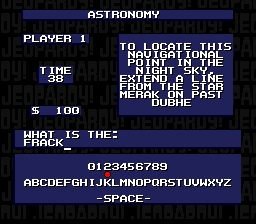
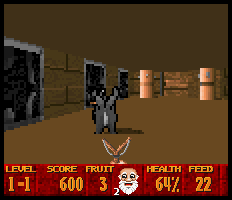
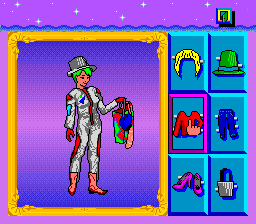
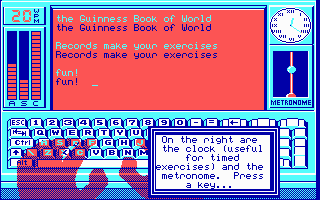
Mario's Time Machine is an educational video game originally released for MS-DOS and then for the Nintendo Entertainment System and Super Nintendo Entertainment System consoles. The Software Toolworks both developed and published the MS-DOS and Super NES versions in 1993, while the NES version was developed by Radical Entertainment and published by The Software Toolworks in 1994. The Microsoft Windows version was re-released as Mario's Time Machine Deluxe in 1996.
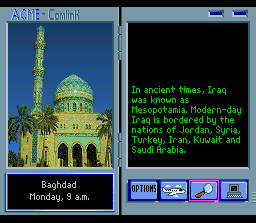
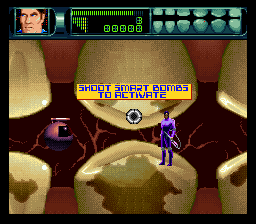
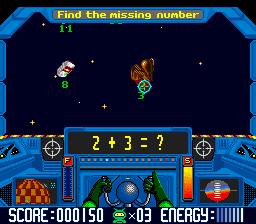
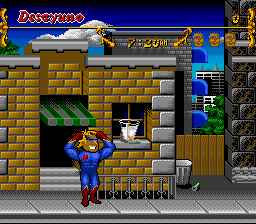
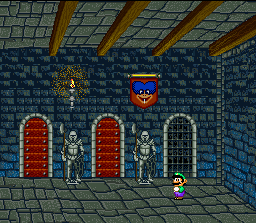
Mario's Time Machine is one of several educational Mario video games that were released during the early 1990s; the game focuses on teaching human history. While the gameplay and engine vary between the three different versions, the story is roughly the same: the player assumes the role of Mario, who uses a time machine to return various artifacts, which had been stolen by Bowser, to their correct points in time.
Mario's Time Machine received mixed reviews. Its use as an educational title has been mixed, and the game has been compared to another educational history game, Where in Time Is Carmen Sandiego?.
From Wikipedia's article Mario's Time Machine
Keyboard controls
| SNES | Player 1 | Player 2 |
|---|---|---|
| D-pad | ↑↓←→ | IKJL |
| A | Z | M |
| B | X | N |
| X | A | U |
| Y | S | H |
| L | Q | Y |
| R | E | O |
| Select | Shift | B |
| Start | Enter | Space |
Hotkeys
- 1 Quick save state
- 2 Quick load state
- 3 Change save slot
Gamepads are detected when you press a button. Remap any key from the emulator’s Controls menu (gear icon).
Online, both players use the Player 1 keys (or a gamepad) on their own computer. Saving, loading and pausing are off while you play online.
Live chat
Connecting…
Keyboard controls
| SNES | Player 1 | Player 2 |
|---|---|---|
| D-pad | ↑↓←→ | IKJL |
| A | Z | M |
| B | X | N |
| X | A | U |
| Y | S | H |
| L | Q | Y |
| R | E | O |
| Select | Shift | B |
| Start | Enter | Space |
Hotkeys
- 1 Quick save state
- 2 Quick load state
- 3 Change save slot
Gamepads are detected when you press a button. Remap any key from the emulator’s Controls menu (gear icon).
Online, both players use the Player 1 keys (or a gamepad) on their own computer. Saving, loading and pausing are off while you play online.
2.5 Could be better
Critics 65 · 7 reviews
Review scorecard
- Graphics 2.5 out of 5 Overall fallback
- Sound 2.5 out of 5 Overall fallback
- Control 2.5 out of 5 Overall fallback
- Fun Factor 2.5 out of 5 Overall fallback
Overall fallback: Critics 65 · 7 reviews. Overall source The same 65/100 overall rating fills missing categories using the face scale; these are not separate category scores.
What the reviews talk about
Key wordsshallowconfusingdullboringentertainingrealistic
What the critics said
GamePro praised the game's dialogues with historical figures, commenting that "the scenarios make flesh-and-blood human beings out of people who are usually just static pictures in textbooks".
— GamePro
He also criticized the act of putting Mario in realistic time periods, commenting that he "occupies the imagination, a place with Star Festivals and giant piranha plants".
— IGN, 2008
They later suggested that it was an unpopular game, commenting that "five, maybe six people played the NES version of Mario's Time Machine".
— GamesRadar+, 2008 · about another version
From the Reception section of Wikipedia's Mario's Time Machine article.
Scores
- 83 Total!1994 83%
- 73 GameStar1994 75%, 70%
- 70 AllGame2010 3.5/5
- 68 Electronic Gaming Monthly 7/10, 7/10, 6/10, 7/10
- 60 GameZone1994 60/100
- 60 Super Play1994 60%
- 40 CD-ROM Today1995 2/5
From the review table in Wikipedia's Mario's Time Machine article.
Full reviews
Play online
Play with a friend on another computer. Host a room and send them the link, or list it in Open rooms for anyone to join; they play as Player 2 and you both see the same game.
Press Start Game first.
Go live
Let anyone watch you play, live in their browser. They see your game as you play it, and your online game when you host a room.
Press Start Game first.
Comments