Where in Time Is Carmen Sandiego

0 plays 1993 #Adventure
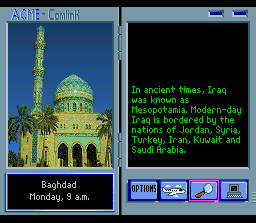
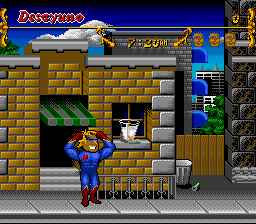
Where in Time Is Carmen Sandiego? is a multiplatform video game where players have to travel through time to collect clues and the warrants necessary to capture Carmen Sandiego or her henchmen. The goal is to track Carmen's villains through history and arrest them and ultimately arrest Carmen.
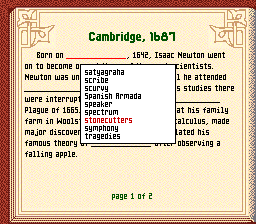
Similar to the 1985 game Where in the World Is Carmen Sandiego?, the player plays as a secret agent for the ACME Detective Agency, and has to use research books to crack the clues given to them on which location (and time period) the crook went, and also decode the physical attributes or interests of the crook based on other clues. They must achieve these objectives in order to secure an arrest warrant, which allows them to identify the person at the end of the case as the crook. The player travels through time and space with a device known within the Carmen Sandiego universe as the Chronoskimmer. The game is time limited, and every action one takes uses up some of that time; the player needs to solve the case within the allotted time in order to be successful. As well as teaching the player about both geography and history it also provides practice with using a research book – a copy of the New American Desk Encyclopedia came with the game for assistance. The people, events, and inventions featured in the game hail from period in history ranging from 400 AD to the 1950s – the past 1500 years of human history. The game also comes with a 28-page instruction manual.
From Wikipedia's article Where in Time Is Carmen Sandiego? (video game)
Keyboard controls
| SNES | Player 1 | Player 2 |
|---|---|---|
| D-pad | ↑↓←→ | IKJL |
| A | Z | M |
| B | X | N |
| X | A | U |
| Y | S | H |
| L | Q | Y |
| R | E | O |
| Select | Shift | B |
| Start | Enter | Space |
Hotkeys
- 1 Quick save state
- 2 Quick load state
- 3 Change save slot
Gamepads are detected when you press a button. Remap any key from the emulator’s Controls menu (gear icon).
Online, both players use the Player 1 keys (or a gamepad) on their own computer. Saving, loading and pausing are off while you play online.
Live chat
Connecting…
Keyboard controls
| SNES | Player 1 | Player 2 |
|---|---|---|
| D-pad | ↑↓←→ | IKJL |
| A | Z | M |
| B | X | N |
| X | A | U |
| Y | S | H |
| L | Q | Y |
| R | E | O |
| Select | Shift | B |
| Start | Enter | Space |
Hotkeys
- 1 Quick save state
- 2 Quick load state
- 3 Change save slot
Gamepads are detected when you press a button. Remap any key from the emulator’s Controls menu (gear icon).
Online, both players use the Player 1 keys (or a gamepad) on their own computer. Saving, loading and pausing are off while you play online.
2.5 Could be better
AllGame 3/5 · 1 review (other versions)
From reviews of other versions of the game (none of this one found).
Review scorecard
- Graphics 2.5 out of 5 Overall fallback
- Sound 2.5 out of 5 Overall fallback
- Control 2.5 out of 5 Overall fallback
- Fun Factor 2.5 out of 5 Overall fallback
Overall fallback: AllGame 3/5 · 1 review (other versions). Overall source The same 60/100 overall rating fills missing categories using the face scale; these are not separate category scores. From reviews of other versions of the game.
What the reviews talk about
Key wordssatisfyingfast-pacedcuteboringexcitingrealistic
What the critics said
Computer Gaming World also favorably reviewed the game, stating that it was "challenging and fun, as well as educational".
— Computer Gaming World, 1990
From the Reception section of Wikipedia's Where in Time Is Carmen Sandiego? (video game) article.
Scores
- 60 AllGame 3/5 (Mac) ; · other versions
From the review table in Wikipedia's Where in Time Is Carmen Sandiego? (video game) article.
Full reviews
Play online
Play with a friend on another computer. Host a room and send them the link, or list it in Open rooms for anyone to join; they play as Player 2 and you both see the same game.
Press Start Game first.
Go live
Let anyone watch you play, live in their browser. They see your game as you play it, and your online game when you host a room.
Press Start Game first.
Comments