Jelly Boy

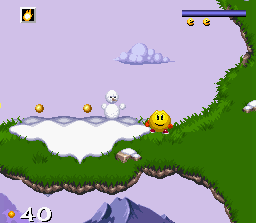
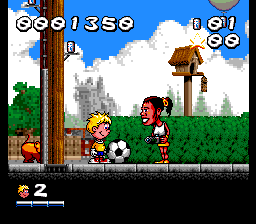
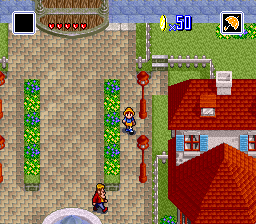
Jelly Boy is a platform game developed by Probe Software for the Super Nintendo Entertainment System and Game Boy. It was published in Europe in 1995 by Ocean Software.
From Wikipedia's article Jelly Boy
Keyboard controls
| SNES | Player 1 | Player 2 |
|---|---|---|
| D-pad | ↑↓←→ | IKJL |
| A | Z | M |
| B | X | N |
| X | A | U |
| Y | S | H |
| L | Q | Y |
| R | E | O |
| Select | Shift | B |
| Start | Enter | Space |
Hotkeys
- 1 Quick save state
- 2 Quick load state
- 3 Change save slot
Gamepads are detected when you press a button. Remap any key from the emulator’s Controls menu (gear icon).
Online, both players use the Player 1 keys (or a gamepad) on their own computer. Saving, loading and pausing are off while you play online.
Live chat
Connecting…
Keyboard controls
| SNES | Player 1 | Player 2 |
|---|---|---|
| D-pad | ↑↓←→ | IKJL |
| A | Z | M |
| B | X | N |
| X | A | U |
| Y | S | H |
| L | Q | Y |
| R | E | O |
| Select | Shift | B |
| Start | Enter | Space |
Hotkeys
- 1 Quick save state
- 2 Quick load state
- 3 Change save slot
Gamepads are detected when you press a button. Remap any key from the emulator’s Controls menu (gear icon).
Online, both players use the Player 1 keys (or a gamepad) on their own computer. Saving, loading and pausing are off while you play online.
3.0 Good job
CVG 73% · 1 review
Review scorecard
- Graphics 3.0 out of 5 Overall fallback
- Sound 3.0 out of 5 Overall fallback
- Control 3.0 out of 5 Overall fallback
- Fun Factor 3.0 out of 5 Overall fallback
Overall fallback: CVG 73% · 1 review. Overall source The same 73/100 overall rating fills missing categories using the face scale; these are not separate category scores.
Scores
- 73 Computer and Video Games1994 73% (SNES)
From the review table in Wikipedia's Jelly Boy article.
Full reviews
Play online
Play with a friend on another computer. Host a room and send them the link, or list it in Open rooms for anyone to join; they play as Player 2 and you both see the same game.
Press Start Game first.
Go live
Let anyone watch you play, live in their browser. They see your game as you play it, and your online game when you host a room.
Press Start Game first.

Comments