Fushigi no Dungeon 2: Fuurai no Shiren

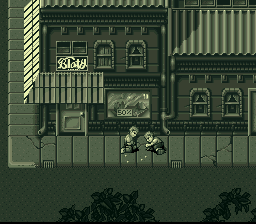
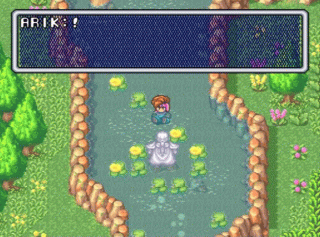
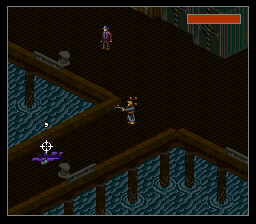
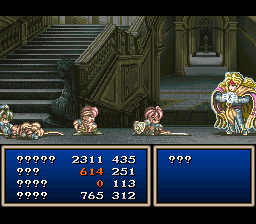
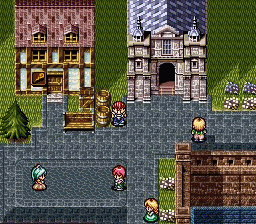
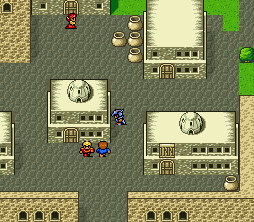
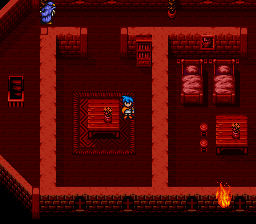
Mystery Dungeon: Shiren the Wanderer, originally released in Japan as Fushigi no Dungeon 2: Fūrai no Shiren, is a roguelike video game developed and published by Chunsoft. It is the second entry in the Mystery Dungeon series, following 1993's Torneko no Daibōken. It was originally released for the Super Famicom in 1995 in Japan. Sega published a Nintendo DS remake in 2006 in Japan and in 2008 internationally. The remake was later ported to iOS and Android and published by Spike Chunsoft in 2019.
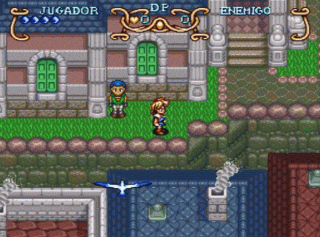
The player takes the role of the rōnin Shiren, who travels through thirty areas on his way to the Land of the Golden Condor. The game is turn-based, with all enemies and characters in an area moving whenever the player performs an action, such as attacking or moving. If the player falls in battle, they lose all their progress and are forced to restart from the beginning of the game: to counter-act this, they can choose to store powerful items in warehouses, and pick them up again on further playthroughs; the Nintendo DS release also adds rescue quests, where a player can save other players who have fallen, allowing them to continue from where they left off.
It came out only in Japan; this version has an unofficial English fan translation.
From Wikipedia's article Mystery Dungeon: Shiren the Wanderer
Keyboard controls
| SNES | Player 1 | Player 2 |
|---|---|---|
| D-pad | ↑↓←→ | IKJL |
| A | Z | M |
| B | X | N |
| X | A | U |
| Y | S | H |
| L | Q | Y |
| R | E | O |
| Select | Shift | B |
| Start | Enter | Space |
Hotkeys
- 1 Quick save state
- 2 Quick load state
- 3 Change save slot
Gamepads are detected when you press a button. Remap any key from the emulator’s Controls menu (gear icon).
Online, both players use the Player 1 keys (or a gamepad) on their own computer. Saving, loading and pausing are off while you play online.
Live chat
Connecting…
Keyboard controls
| SNES | Player 1 | Player 2 |
|---|---|---|
| D-pad | ↑↓←→ | IKJL |
| A | Z | M |
| B | X | N |
| X | A | U |
| Y | S | H |
| L | Q | Y |
| R | E | O |
| Select | Shift | B |
| Start | Enter | Space |
Hotkeys
- 1 Quick save state
- 2 Quick load state
- 3 Change save slot
Gamepads are detected when you press a button. Remap any key from the emulator’s Controls menu (gear icon).
Online, both players use the Player 1 keys (or a gamepad) on their own computer. Saving, loading and pausing are off while you play online.
3.5 Good job
Critics 79 · 5 reviews
Review scorecard
- Graphics 3.5 out of 5 Overall fallback
- Sound 3.5 out of 5 Overall fallback
- Control 3.5 out of 5 Overall fallback
- Fun Factor 3.5 out of 5 Overall fallback
Overall fallback: Critics 79 · 5 reviews. Overall source The same 79/100 overall rating fills missing categories using the face scale; these are not separate category scores.
What the reviews talk about
Key wordspunishingunderwhelminggroundbreakingaccessibledeepresponsive
What the critics said
Patrick Joynt of GameSpy saw this as both a positive and negative, calling it "punishingly, unrelentingly hardcore".
— GameSpy (Patrick Joynt)
He noted that the game uses simple core gameplay concepts to successfully create a "satisfyingly deep and responsive system" and depth in the combat encounters.
— GameSpy, 2008
From the Reception section of Wikipedia's Mystery Dungeon: Shiren the Wanderer article.
Scores
- 95 Famitsu 9/10, 9/10, 10/10, 10/10 (SFC) ; ; 34/40 (Nintendo DS)
- 90 GameSpy2008 4.5/5
- 87 RPGFan2008 87%
- 65 IGN2008 6.5/10 ;
- 60 GameSpot2008 6/10
From the review table in Wikipedia's Mystery Dungeon: Shiren the Wanderer article.
Full reviews
Play online
Play with a friend on another computer. Host a room and send them the link, or list it in Open rooms for anyone to join; they play as Player 2 and you both see the same game.
Press Start Game first.
Go live
Let anyone watch you play, live in their browser. They see your game as you play it, and your online game when you host a room.
Press Start Game first.
Comments