Flashback: The Quest for Identity

64K plays 1992 #Action#Platform
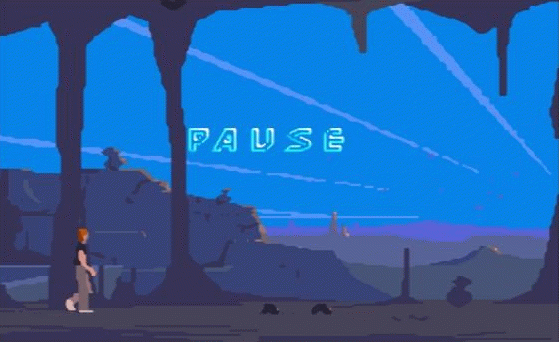
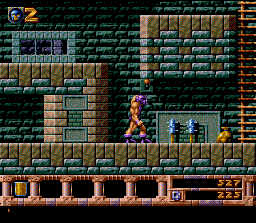
Flashback, released as Flashback: The Quest for Identity in the United States, is a 1992 cinematic platformer developed by Delphine Software and published by U.S. Gold for the Amiga. It was directed, written, designed, and partially programmed by Paul Cuisset, who had previously created the adventure game Future Wars with Éric Chahi. Flashback was ported to the Mega Drive/Genesis, MS-DOS, Acorn Archimedes, and Super NES in 1993. CD-ROM versions for the Sega CD, 3DO, CD-i, MS-DOS, Macintosh, and FM Towns were released in 1994 and 1995, followed by a cartridge version for the Atari Jaguar in 1995. In 2017, the game was released worldwide on the Dreamcast, featuring graphic assets and cutscenes from the MS-DOS version and music from the Amiga version. An updated port titled Flashback: Remastered Edition was released for Nintendo Switch on 7 June 2018, for PlayStation 4 on 20 November 2018, and for Windows on 29 November 2018. The game was also released in October 2023 for the Evercade platforms as part of Delphine collection cartridge, and is based on the original Mega Drive/Genesis version.
From Wikipedia's article Flashback (1992 video game), licensed under CC BY-SA 4.0
Keyboard controls
| SNES | Player 1 | Player 2 |
|---|---|---|
| D-pad | ↑↓←→ | IKJL |
| A | Z | M |
| B | X | N |
| X | A | U |
| Y | S | H |
| L | Q | Y |
| R | E | O |
| Select | Shift | B |
| Start | Enter | Space |
Hotkeys
- 1 Quick save state
- 2 Quick load state
- 3 Change save slot
Gamepads are detected when you press a button. Remap any key from the emulator’s Controls menu (gear icon).
Online, both players use the Player 1 keys (or a gamepad) on their own computer. Saving, loading and pausing are off while you play online.
Live chat
Connecting…
Keyboard controls
| SNES | Player 1 | Player 2 |
|---|---|---|
| D-pad | ↑↓←→ | IKJL |
| A | Z | M |
| B | X | N |
| X | A | U |
| Y | S | H |
| L | Q | Y |
| R | E | O |
| Select | Shift | B |
| Start | Enter | Space |
Hotkeys
- 1 Quick save state
- 2 Quick load state
- 3 Change save slot
Gamepads are detected when you press a button. Remap any key from the emulator’s Controls menu (gear icon).
Online, both players use the Player 1 keys (or a gamepad) on their own computer. Saving, loading and pausing are off while you play online.
Play online
Play with a friend on another computer. Host a room and send them the link; they join as Player 2 and you both see the same game.
Press Start Game first.
Go live
Let anyone watch you play, live in their browser. They see your game as you play it, and your online game when you host a room.
Press Start Game first.
Comments