Dragon Warrior IV

61K plays 1990 #RPG
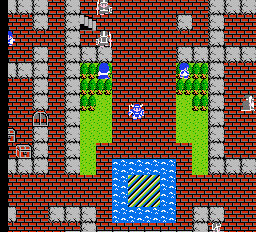
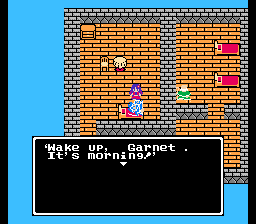
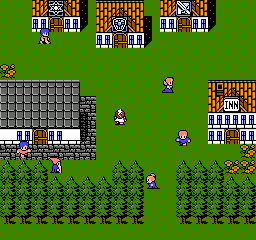
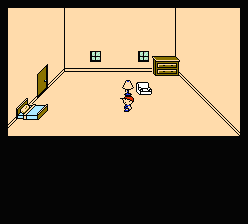
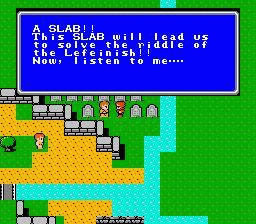
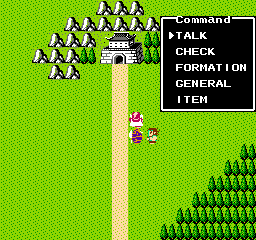
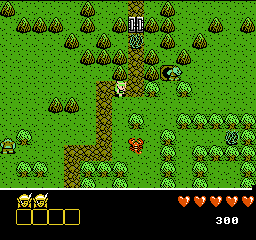
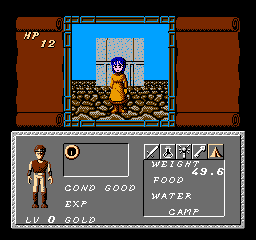
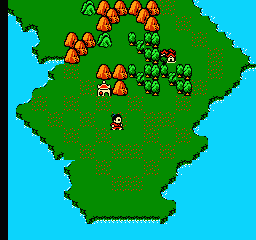
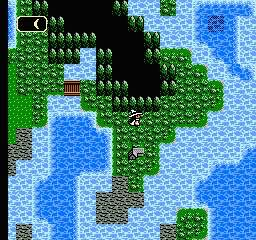
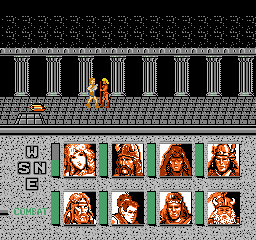
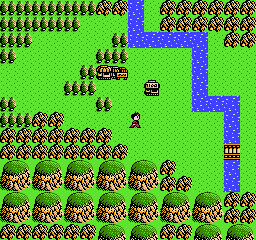
Dragon Quest IV: Chapters of the Chosen, titled Dragon Warrior IV when initially localized to North America, is a 1990 role-playing video game, the fourth installment of the Dragon Quest video game series developed by Chunsoft and published by Enix, and the first of the Zenithian Trilogy. It was originally released for the Famicom on 11 February 1990 in Japan. A North American NES version followed in October 1992, and would be the last Dragon Quest game localized and published by Enix's Enix America Corporation subsidiary prior to its closure in November 1995, as well as the last Dragon Quest game to be localized into English prior to the localization of Dragon Warrior Monsters in December 1999. The game was remade by Heartbeat for the PlayStation, which eventually was available as an Ultimate Hits game. The remake was ported by ArtePiazza to the Nintendo DS, released in Japan November 2007 and worldwide in September 2008. A mobile version based on the Nintendo DS remake was released in 2014 for Android and iOS.
Dragon Quest IV differs from the rest of the series by breaking up the game into five distinct chapters, each of which focuses on a different protagonist or protagonists. The first four are told from the perspective of the Hero's future companions and the fifth one, from the Hero's perspective, brings all the characters together as they start their journey to save the world. The remake adds a sixth chapter.
From Wikipedia's article Dragon Quest IV
Keyboard controls
| NES | Player 1 | Player 2 |
|---|---|---|
| D-pad | ↑↓←→ | IKJL |
| B | Z | N |
| A | X | M |
| Select | Shift | B |
| Start | Enter | Space |
Hotkeys
- 1 Quick save state
- 2 Quick load state
- 3 Change save slot
Gamepads are detected when you press a button. Remap any key from the emulator’s Controls menu (gear icon).
Online, both players use the Player 1 keys (or a gamepad) on their own computer. Saving, loading and pausing are off while you play online.
From the manual, page 4
Live chat
Connecting…
Keyboard controls
| NES | Player 1 | Player 2 |
|---|---|---|
| D-pad | ↑↓←→ | IKJL |
| B | Z | N |
| A | X | M |
| Select | Shift | B |
| Start | Enter | Space |
Hotkeys
- 1 Quick save state
- 2 Quick load state
- 3 Change save slot
Gamepads are detected when you press a button. Remap any key from the emulator’s Controls menu (gear icon).
Online, both players use the Player 1 keys (or a gamepad) on their own computer. Saving, loading and pausing are off while you play online.
From the manual, page 4
3.5 Good job
Critics 78 · 3 reviews
Review scorecard
- Graphics 3.5 out of 5 Overall fallback
- Sound 3.5 out of 5 Overall fallback
- Control 3.5 out of 5 Overall fallback
- Fun Factor 3.5 out of 5 Overall fallback
Overall fallback: Critics 78 · 3 reviews. Overall source The same 78/100 overall rating fills missing categories using the face scale; these are not separate category scores.
What the reviews talk about
Key wordsplayable
What the critics said
"Ragnar McRyan is in no way a character designed off the back of some intense Japanese schoolgirl demographic focus testing", wrote Eurogamer's Simon Parkin, pleased.
— Eurogamer, 2008 (Simon Parkin)
From the Reception section of Wikipedia's Dragon Quest IV article.
Scores
- 93 Famitsu2002 9/10, 10/10, 10/10, 8/10; 9/10, 8/10, 8/10, 7/10; 34/40
- 80 Jeuxvideo.com2011 16/20
- 60 AllGame 3/5; 4/5
- 100 TouchArcade2014 5/5 · other versions
- 90 GamesRadar+2008 4.5/5 · other versions
- 85 1Up.com2008 B+ · other versions
- 83 GameZone2008 8.3/10 · other versions
- 81 Computer and Video Games2008 8.1/10 · other versions
- 80 Destructoid2008 8/10 · other versions
- 80 Eurogamer2008 8/10 · other versions
- 80 GamePro2008 4/5 · other versions
- 80 GameSpot2008 8/10 · other versions
- 80 GameSpy2008 4/5 · other versions
- 80 IGN2008 8/10 · other versions
- 80 Nintendo World Report2008 8/10 · other versions
- 78 Official Nintendo Magazine2008 78% · other versions
- 75 Nintendo Power 7.5/10 · other versions
- 70 Game Informer 7/10 · other versions
From the review table in Wikipedia's Dragon Quest IV article.
Full reviews
Play online
Play with a friend on another computer. Host a room and send them the link, or list it in Open rooms for anyone to join; they play as Player 2 and you both see the same game.
Press Start Game first.
Go live
Let anyone watch you play, live in their browser. They see your game as you play it, and your online game when you host a room.
Press Start Game first.
Comments