Final Fantasy III

98K plays 1990 #RPG
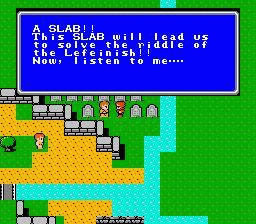
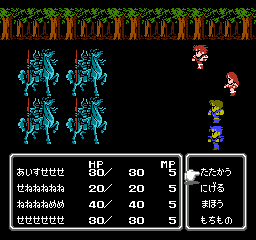
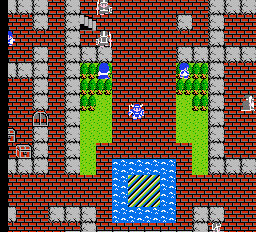
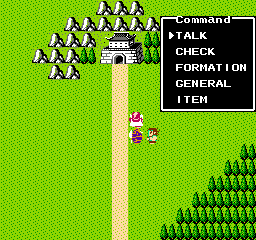
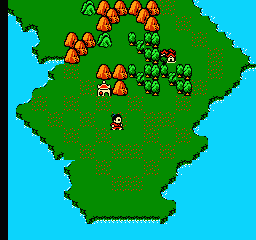
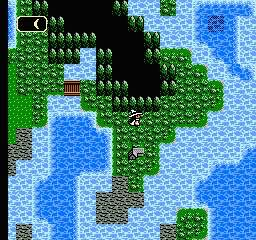
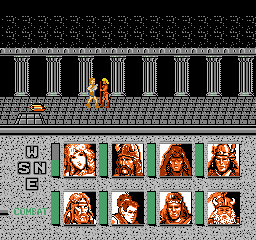
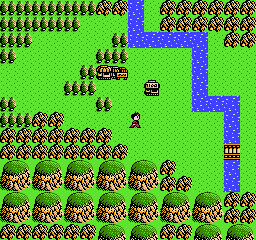
Final Fantasy III is a 1990 role-playing video game developed and published by Square for the Family Computer. The third installment in the Final Fantasy series, it follows four orphans from the village of Ur who are chosen by the world's crystals to defeat a great evil and return balance to the world. The gameplay returns to the traditional combat system of the original game, and adds a job system allowing players to switch between character classes with unique abilities.
Development of Final Fantasy III was handled by multiple series veterans including director Hironobu Sakaguchi, designers Hiromichi Tanaka and Kazuhiko Aoki, writer Kenji Terada, composer Nobuo Uematsu, and programmer Nasir Gebelli in his final contribution to the series. Production was a struggle due to data management, and new elements were added to encourage player experimentation. The artwork was a collaborative effort between Koichi Ishii as character and job designer, Yoshitaka Amano as monster designer, and Kazuko Shibuya as main sprite artist. When it completed development, it was described as one of the largest games on the system.
From Wikipedia's article Final Fantasy III
Keyboard controls
| NES | Player 1 | Player 2 |
|---|---|---|
| D-pad | ↑↓←→ | IKJL |
| B | Z | N |
| A | X | M |
| Select | Shift | B |
| Start | Enter | Space |
Hotkeys
- 1 Quick save state
- 2 Quick load state
- 3 Change save slot
Gamepads are detected when you press a button. Remap any key from the emulator’s Controls menu (gear icon).
Online, both players use the Player 1 keys (or a gamepad) on their own computer. Saving, loading and pausing are off while you play online.
From the manual, page 14
Live chat
Connecting…
Keyboard controls
| NES | Player 1 | Player 2 |
|---|---|---|
| D-pad | ↑↓←→ | IKJL |
| B | Z | N |
| A | X | M |
| Select | Shift | B |
| Start | Enter | Space |
Hotkeys
- 1 Quick save state
- 2 Quick load state
- 3 Change save slot
Gamepads are detected when you press a button. Remap any key from the emulator’s Controls menu (gear icon).
Online, both players use the Player 1 keys (or a gamepad) on their own computer. Saving, loading and pausing are off while you play online.
From the manual, page 14
4.0 Great job!
Critics 81 · 7 reviews
Review scorecard
- Graphics 4.0 out of 5 Overall fallback
- Sound 4.0 out of 5 Overall fallback
- Control 4.0 out of 5 Overall fallback
- Fun Factor 4.0 out of 5 Overall fallback
Overall fallback: Critics 81 · 7 reviews. Overall source The same 81/100 overall rating fills missing categories using the face scale; these are not separate category scores.
What the reviews talk about
Key wordsentertainingdifficultoriginal
Scores
- 90 Famitsu 9/10, 9/10, 10/10, 8/10 (FC)
- 90 TouchArcade2021 4.5/5 (Pixel Remaster)
- 89 Family Computer Magazine 26.60/30 (FC)
- 80 Hardcore Gamer2021 8/10 (Pixel Remaster)
- 80 RPGFan2021 8/10 (Pixel Remaster)
- 70 Nintendo World Report2023 7/10 (Pixel Remaster)
- 70 RPGSite2021 7/10 (Pixel Remaster)
From the review table in Wikipedia's Final Fantasy III article.
Full reviews
Play online
Play with a friend on another computer. Host a room and send them the link, or list it in Open rooms for anyone to join; they play as Player 2 and you both see the same game.
Press Start Game first.
Go live
Let anyone watch you play, live in their browser. They see your game as you play it, and your online game when you host a room.
Press Start Game first.
Comments