Dragon Warrior III (Dragon Quest III)

92K plays 1988 #RPG
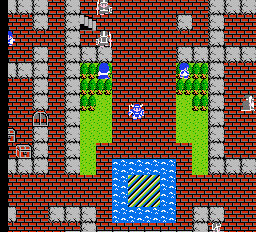
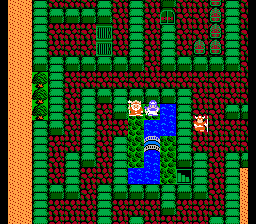
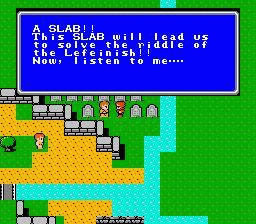
Dragon Quest III: The Seeds of Salvation, titled Dragon Warrior III when initially localized to North America, is a 1988 role-playing video game developed by Chunsoft and published by Enix. It is the third installment in the Dragon Quest series and was first released for the Family Computer (Famicom) in Japan and later for the Nintendo Entertainment System (NES) in North America. The game saw an enhanced remake for the Super Famicom (the Japanese release of the Super NES) in 1996 and the Game Boy Color in 2001, and a port to mobile phones and the Wii in 2009 and 2011. A version of the game for Android and iOS was released in Japan on September 25, 2014, and worldwide as Dragon Quest III: The Seeds of Salvation on December 4, 2014. It was the first time the game was given an official English subtitle. Later in 2021, another remake of the game titled Dragon Quest III HD-2D Remake, based on the graphical style introduced with Octopath Traveler (2018), was announced to coincide with the franchise's 35th anniversary. The remake was released worldwide on November 14th, 2024 for Nintendo Switch, PlayStation 5, Windows, and Xbox Series consoles.
From Wikipedia's article Dragon Quest III
Keyboard controls
| NES | Player 1 | Player 2 |
|---|---|---|
| D-pad | ↑↓←→ | IKJL |
| B | Z | N |
| A | X | M |
| Select | Shift | B |
| Start | Enter | Space |
Hotkeys
- 1 Quick save state
- 2 Quick load state
- 3 Change save slot
Gamepads are detected when you press a button. Remap any key from the emulator’s Controls menu (gear icon).
Online, both players use the Player 1 keys (or a gamepad) on their own computer. Saving, loading and pausing are off while you play online.
From the manual, page 9
Live chat
Connecting…
Keyboard controls
| NES | Player 1 | Player 2 |
|---|---|---|
| D-pad | ↑↓←→ | IKJL |
| B | Z | N |
| A | X | M |
| Select | Shift | B |
| Start | Enter | Space |
Hotkeys
- 1 Quick save state
- 2 Quick load state
- 3 Change save slot
Gamepads are detected when you press a button. Remap any key from the emulator’s Controls menu (gear icon).
Online, both players use the Player 1 keys (or a gamepad) on their own computer. Saving, loading and pausing are off while you play online.
From the manual, page 9
5.0 Outstanding!
Famitsu 9/10, 10/10, 10/10, 9/10 · 1 review
Review scorecard
- Graphics 5.0 out of 5 Overall fallback
- Sound 5.0 out of 5 Overall fallback
- Control 5.0 out of 5 Overall fallback
- Fun Factor 5.0 out of 5 Overall fallback
Overall fallback: Famitsu 9/10, 10/10, 10/10, 9/10 · 1 review. Overall source The same 95/100 overall rating fills missing categories using the face scale; these are not separate category scores.
What the reviews talk about
Key wordsuglyexcellent
What the critics said
GameSpot gave the Game Boy Color version a "good" 7.6/10, saying that "DWIII is a worthy port of its old NES ancestor, but its firm grounding in the RPG old-school means that only the hard-core need apply."
— GameSpot, 2001
From the Reception section of Wikipedia's Dragon Quest III article.
Scores
- 95 Famitsu 9/10, 10/10, 10/10, 9/10; 30 of 40
- 100 IGN2001 10/10 · other versions
- 100 TouchArcade2014 5/5 · other versions
- 80 GamePro 4/5 · other versions
- 80 Nintendo Power2001 4/5 · other versions
- 76 GameSpot2001 7.6/10 · other versions
- 70 Electronic Gaming Monthly2001 7/10 · other versions
From the review table in Wikipedia's Dragon Quest III article.
Full reviews
Play online
Play with a friend on another computer. Host a room and send them the link, or list it in Open rooms for anyone to join; they play as Player 2 and you both see the same game.
Press Start Game first.
Go live
Let anyone watch you play, live in their browser. They see your game as you play it, and your online game when you host a room.
Press Start Game first.
Comments