Dragon Ball Z: Super Butouden

0 plays 1993 #Fighting
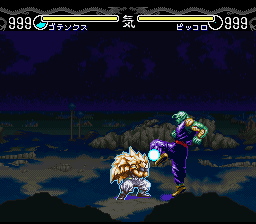
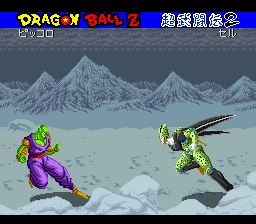
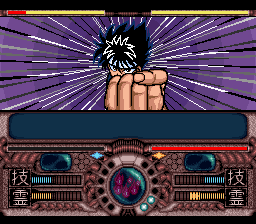
Dragon Ball Z: Super Butōden, known as Dragon Ball Z in Europe, is a 1993 fighting video game developed by Tose and published by Bandai for the Super Nintendo Entertainment System. It is based upon Akira Toriyama's Dragon Ball franchise, and was its first fighting game.
Due to the popularity of Street Fighter II: The World Warrior at the time, producer Toshihiro Suzuki chose to work on a fighting game when assigned to a new project due to it being his preferred genre. Its gameplay consists of one-on-one fights, with a main six-button configuration, featuring special moves, as well as three playable modes.
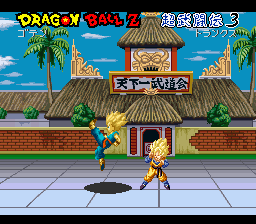
Dragon Ball Z: Super Butōden garnered mostly positive reception from critics; most reviewers praised the presentation and gameplay but others felt divided in regards to several design aspects. The game sold approximately 1.3 million units in its first two months of release in Japan. Super Butōden would spawn several sequels; including Dragon Ball Z: Super Butōden 2 (1993), Dragon Ball Z: Super Butōden 3 (1994), Dragon Ball Z: Buyū Retsuden (1994), Dragon Ball Z: Shin Butōden (1995), Dragon Ball Kai: Ultimate Butōden (2011), and Dragon Ball Z: Extreme Butōden (2015).
It came out only in Japan; this version has an unofficial English fan translation.
From Wikipedia's article Dragon Ball Z: Super Butōden
Keyboard controls
| SNES | Player 1 | Player 2 |
|---|---|---|
| D-pad | ↑↓←→ | IKJL |
| A | Z | M |
| B | X | N |
| X | A | U |
| Y | S | H |
| L | Q | Y |
| R | E | O |
| Select | Shift | B |
| Start | Enter | Space |
Hotkeys
- 1 Quick save state
- 2 Quick load state
- 3 Change save slot
Gamepads are detected when you press a button. Remap any key from the emulator’s Controls menu (gear icon).
Online, both players use the Player 1 keys (or a gamepad) on their own computer. Saving, loading and pausing are off while you play online.
Live chat
Connecting…
Keyboard controls
| SNES | Player 1 | Player 2 |
|---|---|---|
| D-pad | ↑↓←→ | IKJL |
| A | Z | M |
| B | X | N |
| X | A | U |
| Y | S | H |
| L | Q | Y |
| R | E | O |
| Select | Shift | B |
| Start | Enter | Space |
Hotkeys
- 1 Quick save state
- 2 Quick load state
- 3 Change save slot
Gamepads are detected when you press a button. Remap any key from the emulator’s Controls menu (gear icon).
Online, both players use the Player 1 keys (or a gamepad) on their own computer. Saving, loading and pausing are off while you play online.
3.0 Good job
Critics 70 · 13 reviews
Review scorecard
- Graphics 3.0 out of 5 Overall fallback
- Sound 3.0 out of 5 Overall fallback
- Control 3.0 out of 5 Overall fallback
- Fun Factor 3.0 out of 5 Overall fallback
Overall fallback: Critics 70 · 13 reviews. Overall source The same 70/100 overall rating fills missing categories using the face scale; these are not separate category scores.
What the reviews talk about
Key wordsunplayablerepetitiveoriginalfun
What the critics said
Jeuxvideo.com's Rroyd-Y stated that "This first game in a successful trilogy is surely not the best episode of the three. Stained by a very heavy gameplay and a disconcerting difficulty, it will really only delight the unconditional fans of the time who seek at all costs to slip into the skin of Son Goku or Vegeta."
— Jeuxvideo.com, 2010
From the Reception section of Wikipedia's Dragon Ball Z: Super Butōden article.
Scores
- 92 Player One 92%
- 92 Superjuegos 92/100
- 88 Consoles + 88%
- 83 Joypad 77% ; 88%
- 79 GameFan 81%, 79%, 72%, 82%
- 75 Nintendo Acción 3/4
- 73 Super Play 73%
- 69 Play Time (magazine) 69%
- 68 Famitsu 7/10, 7/10, 7/10, 6/10
- 65 Jeuxvideo.com2010 13/20
- 57 Super Control 57%
- 51 Super Pro 51%
- 16 Super Action 16%
From the review table in Wikipedia's Dragon Ball Z: Super Butōden article.
Full reviews
Play online
Play with a friend on another computer. Host a room and send them the link, or list it in Open rooms for anyone to join; they play as Player 2 and you both see the same game.
Press Start Game first.
Go live
Let anyone watch you play, live in their browser. They see your game as you play it, and your online game when you host a room.
Press Start Game first.
Comments