The Fidelity Chessmaster 2100
31K plays 1988 #Puzzle
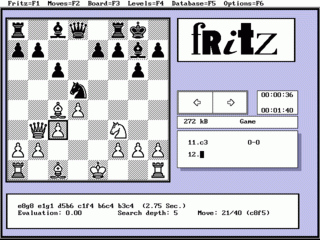
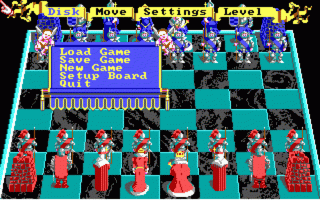
The Fidelity Chessmaster 2100, released in 1988 by The Software Toolworks, is a notable entry in the Chessmaster series of computer chess programs. Building upon its predecessor, Chessmaster 2000, this version introduced enhanced graphics and a range of features designed to cater to both novice and experienced players.
One of the standout features of Chessmaster 2100 is its extensive library of 110 historical chess matches, spanning from 1834 to 1988. These annotated games provide valuable insights into classic strategies and famous plays, allowing users to study and learn from the masters. The program also offers various tutorial modes, including 'Hint' and 'Teaching' options, which guide players through potential moves and strategies, enhancing their understanding of the game.
In terms of gameplay, Chessmaster 2100 boasts a robust engine capable of challenging players at multiple skill levels. The inclusion of 'Newcomer' and 'Coffeehouse' modes makes the game accessible to beginners, while higher difficulty settings provide a formidable challenge for seasoned players. The program's adaptability ensures that users can find an appropriate level of competition, fostering growth and improvement in their chess skills.
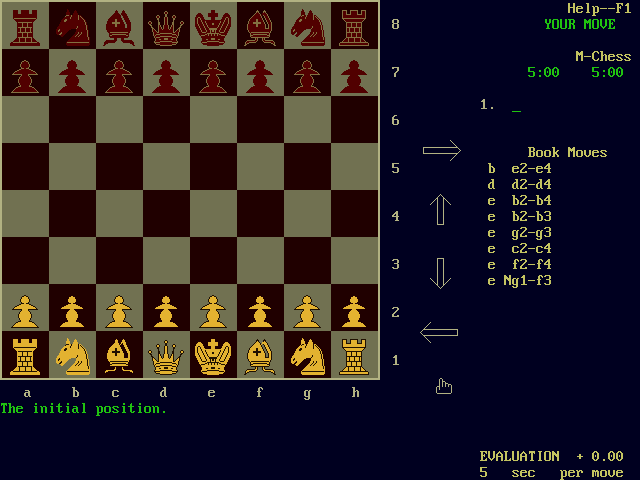
Graphically, the game made significant strides by incorporating 640x400 resolution, offering clearer and more detailed displays compared to its predecessors. This visual enhancement, combined with intuitive interface design, allows players to focus on gameplay without unnecessary distractions. The program's compatibility with various platforms, including Commodore 64, Apple II, and DOS, contributed to its widespread popularity among computer enthusiasts of the era.
Critically, The Fidelity Chessmaster 2100 received positive reviews for its comprehensive features and user-friendly design. Reviewers highlighted its suitability for players across all skill levels and praised its educational value. The game's enduring legacy is evident, as it set a standard for future chess software, blending instructional content with challenging gameplay to create a holistic chess experience.
Text: RetroGames.cz, licensed under CC BY-SA 3.0
Controls
This is a PC game: it uses the keyboard the way it did under MS-DOS, and the mouse where the game supports it. Click the game screen first so it gets your key presses.
Many DOS games start with a menu or ask a question first — read the screen and answer with the keyboard. Arrow keys, Enter, Space, Ctrl and Alt are the usual game keys.
Live chat
Connecting…
Controls
This is a PC game: it uses the keyboard the way it did under MS-DOS, and the mouse where the game supports it. Click the game screen first so it gets your key presses.
Many DOS games start with a menu or ask a question first — read the screen and answer with the keyboard. Arrow keys, Enter, Space, Ctrl and Alt are the usual game keys.

Comments