Super Football

14K plays 1989 #Sport
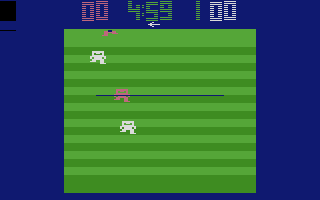
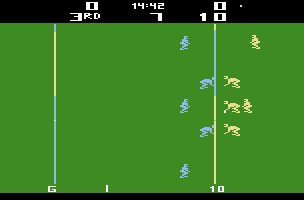
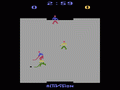
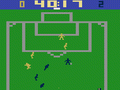
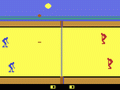
Super Football is an American football game with an isometric view. Player one always starts as offense and are in the red jerseys. The computer (or player two) starts as defense and are in blue jerseys.You have the choice to pass or run. On the offense, you control the quarterback until he passes the ball. You then control the receiver. The quarterback cannot pass after he crosses the line of scrimmage. On defense, you control the corner.
Offense selects both the formation and pattern that the receiver will run*. The formation is the number on the left, from 1 to 9. The pattern is the number on the right, from 1 to 4. Defense only selects formations, from 1 to 9. If the offense selects to punt or a field goal, the defense play is automatically selected to counter that. To see the formations and patterns, you must refer to the game manual, as they are not named or graphically displayed on screen. (In game 1 (Novice), you do not manually select plays, they are selected automatically.
There are only 5 players per side. You cannot tackle anyone within the five-yard line and the goal. There are no 2-point safeties or 2-point conversions. There are no penalties.
Text: RetroGames.cz, licensed under CC BY-SA 3.0
Keyboard controls
| Atari 2600 | Player 1 | Player 2 |
|---|---|---|
| D-pad | ↑↓←→ | IKJL |
| Fire | Z | N |
| Game Select | Shift | |
| Game Reset | Enter |
Hotkeys
- 1 Quick save state
- 2 Quick load state
- 3 Change save slot
Most games start with Game Reset. Paddle games (Breakout, Kaboom!…) need a gamepad stick.
Gamepads are detected when you press a button. Remap any key from the emulator’s Controls menu (gear icon).
Live chat
Connecting…
Keyboard controls
| Atari 2600 | Player 1 | Player 2 |
|---|---|---|
| D-pad | ↑↓←→ | IKJL |
| Fire | Z | N |
| Game Select | Shift | |
| Game Reset | Enter |
Hotkeys
- 1 Quick save state
- 2 Quick load state
- 3 Change save slot
Most games start with Game Reset. Paddle games (Breakout, Kaboom!…) need a gamepad stick.
Gamepads are detected when you press a button. Remap any key from the emulator’s Controls menu (gear icon).



Comments