Metal Combat: Falcon's Revenge

0 plays 1993 #Shooter
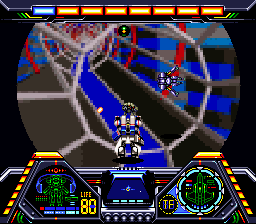
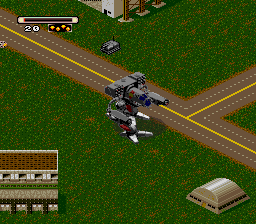
Metal Combat: Falcon's Revenge is a 1993 light gun shooter video game developed by Intelligent Systems and published by Nintendo for the Super Nintendo Entertainment System. It is the sequel to Battle Clash (1992) and one of several titles that require the Super Scope, a light gun. Taking place three years after the events of its predecessor, the player acts as the gunner of the Standing Tank (ST) Falcon piloted by Mike Anderson, fighting a group of chiefs in the Battle Game, the returning emperor Anubis, and the invading Eltorian alien race.
Metal Combat was created by Team Battle Clash, a group within Intelligent Systems made up of Nintendo R&D1 staff, which previously worked on Battle Clash. It was directed by chief graphic designer Toshitaka Muramatsu, who worked in the Fire Emblem and Paper Mario series, and produced by Gunpei Yokoi. The music was composed by Yuka Tsujiyoko, who also scored Battle Clash. The game garnered generally favorable reception from critics; praise was given to the refined gameplay, different strategies of each enemy, variety of modes, and overall improvements made over its predecessor. Some reviewers criticized the single-player campaign for its short duration, repetitive action, and difficulty.
From Wikipedia's article Metal Combat: Falcon's Revenge, licensed under CC BY-SA 4.0
Keyboard controls
| SNES | Player 1 | Player 2 |
|---|---|---|
| D-pad | ↑↓←→ | IKJL |
| A | Z | M |
| B | X | N |
| X | A | U |
| Y | S | H |
| L | Q | Y |
| R | E | O |
| Select | Shift | B |
| Start | Enter | Space |
Hotkeys
- 1 Quick save state
- 2 Quick load state
- 3 Change save slot
Gamepads are detected when you press a button. Remap any key from the emulator’s Controls menu (gear icon).
Online, both players use the Player 1 keys (or a gamepad) on their own computer. Saving, loading and pausing are off while you play online.
Live chat
Connecting…
Keyboard controls
| SNES | Player 1 | Player 2 |
|---|---|---|
| D-pad | ↑↓←→ | IKJL |
| A | Z | M |
| B | X | N |
| X | A | U |
| Y | S | H |
| L | Q | Y |
| R | E | O |
| Select | Shift | B |
| Start | Enter | Space |
Hotkeys
- 1 Quick save state
- 2 Quick load state
- 3 Change save slot
Gamepads are detected when you press a button. Remap any key from the emulator’s Controls menu (gear icon).
Online, both players use the Player 1 keys (or a gamepad) on their own computer. Saving, loading and pausing are off while you play online.
No reviews yet
We found no critic scores for this game, and too few players have rated it.
Review scorecard
- Graphics — Not scored Unavailable
- Sound — Not scored Unavailable
- Control — Not scored Unavailable
- Fun Factor — Not scored Unavailable
No category score or overall rating is available for the unscored slots.
Full reviews
Play online
Play with a friend on another computer. Host a room and send them the link, or list it in Open rooms for anyone to join; they play as Player 2 and you both see the same game.
Press Start Game first.
Go live
Let anyone watch you play, live in their browser. They see your game as you play it, and your online game when you host a room.
Press Start Game first.
Comments