Ninja Gaiden III: The Ancient Ship of Doom

99K plays 1991 #Action#Platform
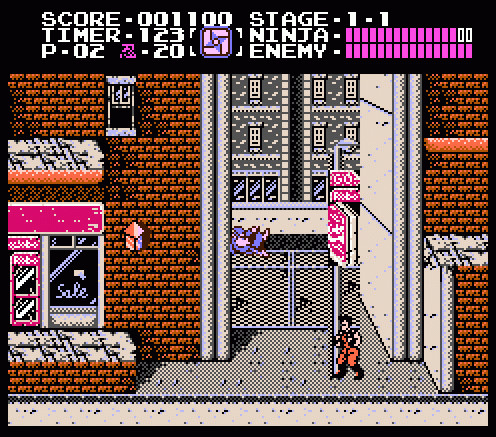
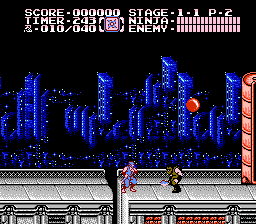
Ninja Gaiden III: The Ancient Ship of Doom is a 1991 platform game developed and published by Tecmo for the Nintendo Entertainment System (NES). It was later ported to the Atari Lynx by Atari Corporation in 1993, and was also re-released as part of Tecmo's Ninja Gaiden Trilogy Super NES compilation in 1995. It was designed by Masato Kato, who took over for Hideo Yoshizawa, the designer of the first two games in the NES series.
The game is the third installment of the Ninja Gaiden trilogy in terms of release, but is chronologically set between the first two games in the series, Ninja Gaiden and Ninja Gaiden II: The Dark Sword of Chaos. Although the American box art and in-game dialogue suggests that the game takes place years after the first game, The Dark Sword of Chaos supposedly takes place one year after the first, while the Japanese version takes place in between the first two games; the ending screen briefly makes mention of this. The player controls Ryu Hayabusa as he is framed for the murder of Irene Lew and investigates the circumstances behind her death. He eventually discovers a plan by CIA agent Foster and another person named Clancy to utilize an interdimensional rift to create and control a race of energy-infused superhuman mutants. The game features similar gameplay to its previous two Ninja Gaiden titles and includes some new features such as the ability to hang overhead from pipes and sword power-ups.
From Wikipedia's article Ninja Gaiden III: The Ancient Ship of Doom, licensed under CC BY-SA 4.0
Keyboard controls
| NES | Player 1 | Player 2 |
|---|---|---|
| D-pad | ↑↓←→ | IKJL |
| B | Z | N |
| A | X | M |
| Select | Shift | B |
| Start | Enter | Space |
Hotkeys
- 1 Quick save state
- 2 Quick load state
- 3 Change save slot
Gamepads are detected when you press a button. Remap any key from the emulator’s Controls menu (gear icon).
Live chat
Connecting…
Keyboard controls
| NES | Player 1 | Player 2 |
|---|---|---|
| D-pad | ↑↓←→ | IKJL |
| B | Z | N |
| A | X | M |
| Select | Shift | B |
| Start | Enter | Space |
Hotkeys
- 1 Quick save state
- 2 Quick load state
- 3 Change save slot
Gamepads are detected when you press a button. Remap any key from the emulator’s Controls menu (gear icon).
Go live
Let anyone watch you play, live in their browser. They see your game as you play it.
Press Start Game first.
Comments