Master of Darkness
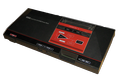
39K plays 1992 #Action#Platform
Master of Darkness (released as In the Wake of Vampire in Japan and Vampire: Master of Darkness in the US), is a video game released for the Sega Game Gear and the Sega Master System. It was developed by SIMS.
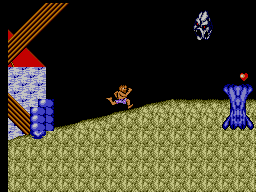
Master of Darkness is a platform game, very similar to Castlevania. The plot has the player entering the role of a psychologist named Dr. Social trying to defeat Dracula, who is behind a series of killings in London which have been attributed to Jack the Ripper.
The game requires the player to battle his way through several locations such as cemeteries, laboratories, castles and a house of wax dolls. To defeat the enemies (which range in ability and include zombies, bats and ghosts), players can utilise several primary and secondary weapons. Primary weapons are close combat weapons ranging from knives to rapiers and axes, that differ in range and efficiency. Secondary weapons are long-range weapons (pistols, bombs etc.) with limited ammunition. The player can hold one type of primary and secondary weapon. Picking up a new weapon means it automatically replaces the previous weapon in the player's inventory.
The game features five rounds divided into three stages. At the end of each stage, a boss must be defeated. At the end of the final stage, the player must defeat Dracula himself.
Text: Wikipedia via RetroGames.cz, licensed under CC BY-SA 3.0
Keyboard controls
| SMS | Player 1 | Player 2 |
|---|---|---|
| D-pad | ↑↓←→ | IKJL |
| Button 1 | Z | N |
| Button 2 | X | M |
| Pause | Enter |
Hotkeys
- 1 Quick save state
- 2 Quick load state
- 3 Change save slot
Gamepads are detected when you press a button. Remap any key from the emulator’s Controls menu (gear icon).
Live chat
Connecting…
Keyboard controls
| SMS | Player 1 | Player 2 |
|---|---|---|
| D-pad | ↑↓←→ | IKJL |
| Button 1 | Z | N |
| Button 2 | X | M |
| Pause | Enter |
Hotkeys
- 1 Quick save state
- 2 Quick load state
- 3 Change save slot
Gamepads are detected when you press a button. Remap any key from the emulator’s Controls menu (gear icon).


Comments