Mario Bros.
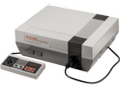
57K plays 1983 #Action#Platform
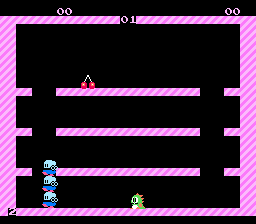
Mario Bros. is a 1983 platform game developed and published by Nintendo for arcades. It was designed by Shigeru Miyamoto and Gunpei Yokoi, Nintendo's chief engineer. Players control Italian twin brother plumbers Mario and Luigi as they exterminate turtle-like creatures, giant flies, and crabs emerging from the sewers of New York City by knocking them upside-down and kicking them away. The Famicom/NES version was the first game to be developed by Intelligent Systems. It is part of the Mario franchise and the first spin-off of the Donkey Kong series.
The arcade and Famicom/NES versions were received positively by critics. Elements introduced in Mario Bros., such as floating coins, enemy turtles, and Luigi, were carried over to Super Mario Bros. (1985) and became staples of the Mario series.
An updated version, titled Mario Bros. Classic, is included as a minigame in all of the Super Mario Advance series and Mario & Luigi: Superstar Saga (2003). The NES version of Mario Bros. was re-released through the Wii and Wii U's Virtual Console, as well as the Nintendo Classics service for the Nintendo Switch. The original arcade version was released by Hamster Corporation as part of the Arcade Archives series for the Switch in 2017.
From Wikipedia's article Mario Bros.
Keyboard controls
| NES | Player 1 | Player 2 |
|---|---|---|
| D-pad | ↑↓←→ | IKJL |
| B | Z | N |
| A | X | M |
| Select | Shift | B |
| Start | Enter | Space |
Hotkeys
- 1 Quick save state
- 2 Quick load state
- 3 Change save slot
Gamepads are detected when you press a button. Remap any key from the emulator’s Controls menu (gear icon).
Online, both players use the Player 1 keys (or a gamepad) on their own computer. Saving, loading and pausing are off while you play online.
Live chat
Connecting…
Keyboard controls
| NES | Player 1 | Player 2 |
|---|---|---|
| D-pad | ↑↓←→ | IKJL |
| B | Z | N |
| A | X | M |
| Select | Shift | B |
| Start | Enter | Space |
Hotkeys
- 1 Quick save state
- 2 Quick load state
- 3 Change save slot
Gamepads are detected when you press a button. Remap any key from the emulator’s Controls menu (gear icon).
Online, both players use the Player 1 keys (or a gamepad) on their own computer. Saving, loading and pausing are off while you play online.
4.5 Great job!
Critics 87 · 2 reviews
Review scorecard
- Graphics 4.5 out of 5 Overall fallback
- Sound 4.5 out of 5 Overall fallback
- Control 4.5 out of 5 Overall fallback
- Fun Factor 4.5 out of 5 Overall fallback
Overall fallback: Critics 87 · 2 reviews. Overall source The same 87/100 overall rating fills missing categories using the face scale; these are not separate category scores.
What the reviews talk about
Key wordsfunmemorable
What the critics said
They said the NES version is "incredibly good fun" especially in two-player mode, the Atari VCS version is "just as much fun" but with graphical restrictions, and the Atari 7800 version is slightly better.
— Computer and Video Games, 1989
From the Reception section of Wikipedia's Mario Bros. article.
Scores
- 90 AllGame 4.5/5
- 83 Computer and Video Games1989 83%; 82%
- 53 IGN2002 6/10; 4.5/10 · other versions
- 49 GameSpot 4.9/10 · other versions
From the review table in Wikipedia's Mario Bros. article.
Full reviews
Play online
Play with a friend on another computer. Host a room and send them the link, or list it in Open rooms for anyone to join; they play as Player 2 and you both see the same game.
Press Start Game first.
Go live
Let anyone watch you play, live in their browser. They see your game as you play it, and your online game when you host a room.
Press Start Game first.
Comments