Hudson’s Adventure Island IV

163K plays 1994 #Action#Platform
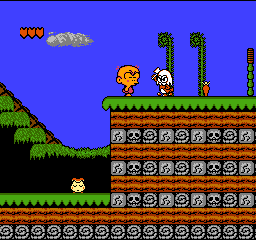
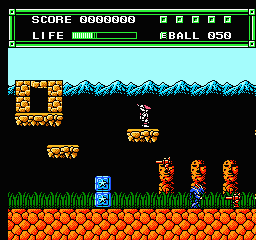
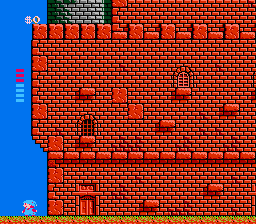
Takahashi Meijin no Bōken Jima IV sometimes referred to as Adventure Island IV, is a 1994 video game released by Hudson Soft for the Family Computer.
The game follows Takahashi Meijin in his quest to rescue his dinosaur companions, who have been kidnapped by a mysterious entity. Adventure Island IV add new gameplay elements to the series. Instead of a series of explicitly separate stages, it features a complex scrolling map connecting its various levels. The player progresses through these levels by solving puzzles, using various items, and defeating the boss enemies.
The sales department at Hudson Soft suggested that the company create a new game for the Famicom. They believed it could potentially perform well, as games for the system were still sold in the Japanese market. This led to the development of a new Adventure Island game, as the company felt it would require the shortest amount of development time. Now Production, who developed Adventure Island II (1991) and Adventure Island 3 (1992), created the game. Upon its release in Japan on June 24, 1994, the game became the final licensed title for the Famicom. Takahashi Meijin said that of the 36 titles that Hudson Soft released for the Famicom, Adventure Island IV sold the least amount of copies.
From Wikipedia's article Adventure Island IV
Keyboard controls
| NES | Player 1 | Player 2 |
|---|---|---|
| D-pad | ↑↓←→ | IKJL |
| B | Z | N |
| A | X | M |
| Select | Shift | B |
| Start | Enter | Space |
Hotkeys
- 1 Quick save state
- 2 Quick load state
- 3 Change save slot
Gamepads are detected when you press a button. Remap any key from the emulator’s Controls menu (gear icon).
Online, both players use the Player 1 keys (or a gamepad) on their own computer. Saving, loading and pausing are off while you play online.
Live chat
Connecting…
Keyboard controls
| NES | Player 1 | Player 2 |
|---|---|---|
| D-pad | ↑↓←→ | IKJL |
| B | Z | N |
| A | X | M |
| Select | Shift | B |
| Start | Enter | Space |
Hotkeys
- 1 Quick save state
- 2 Quick load state
- 3 Change save slot
Gamepads are detected when you press a button. Remap any key from the emulator’s Controls menu (gear icon).
Online, both players use the Player 1 keys (or a gamepad) on their own computer. Saving, loading and pausing are off while you play online.
3.5 Good job
Players 79 · 181 votes
No critic scores found for this game: this is the players' rating.
Review scorecard
- Graphics 3.5 out of 5 Overall fallback
- Sound 3.5 out of 5 Overall fallback
- Control 3.5 out of 5 Overall fallback
- Fun Factor 3.5 out of 5 Overall fallback
Overall fallback: Players 79 · 181 votes. The same 79/100 overall rating fills missing categories using the face scale; these are not separate category scores. Player rating; no critic scores available.
What the reviews talk about
Key wordsinnovative
Full reviews
Play online
Play with a friend on another computer. Host a room and send them the link, or list it in Open rooms for anyone to join; they play as Player 2 and you both see the same game.
Press Start Game first.
Go live
Let anyone watch you play, live in their browser. They see your game as you play it, and your online game when you host a room.
Press Start Game first.





Comments