Home Alone

119K plays 1991 #Action#Platform
Home Alone refers to a number of video games created for the Super Nintendo Entertainment System, Sega Master System, Sega Genesis, Sega Game Gear, Amiga, personal computer, Nintendo Entertainment System and the Game Boy. They are all based on the movie of the same name.
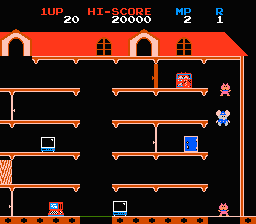
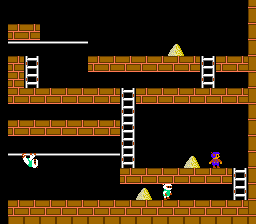
There are multiple versions of the game and each features a different style of gameplay, but all share the same plot and roughly the same objective: Kevin McCallister is left home alone when his family goes on vacation. He must prevent Harry and Marv, the 'Wet Bandits', from burglarizing his home, using various household objects as traps and/or weapons. Each version of the game is an example of the trap-em-up genre, which also includes games like Heiankyo Alien, Space Panic, and Lode Runner.
In the Home Alone title for the NES, the player must avoid being caught by the Wet Bandits for 20 minutes. During this time, he can set various traps using items around the house, each with a different corresponding strength and allowing the Bandit tripping them to be knocked unconscious longer. Kevin can also hide behind certain parts of the house, but only for two consecutive turns; any other concurrent passings will result in a game over. Some official copies of the NES version have two different 'game over' screens; one having Kevin McCallister performing his trademark screaming face with a speech balloon on his left side that reads 'Oh no!', the other one only having a large cloud with 'Oh no!' in the middle of it.
Text: Wikipedia via RetroGames.cz, licensed under CC BY-SA 3.0
Keyboard controls
| NES | Player 1 | Player 2 |
|---|---|---|
| D-pad | ↑↓←→ | IKJL |
| B | Z | N |
| A | X | M |
| Select | Shift | B |
| Start | Enter | Space |
Hotkeys
- 1 Quick save state
- 2 Quick load state
- 3 Change save slot
Gamepads are detected when you press a button. Remap any key from the emulator’s Controls menu (gear icon).
Live chat
Connecting…
Keyboard controls
| NES | Player 1 | Player 2 |
|---|---|---|
| D-pad | ↑↓←→ | IKJL |
| B | Z | N |
| A | X | M |
| Select | Shift | B |
| Start | Enter | Space |
Hotkeys
- 1 Quick save state
- 2 Quick load state
- 3 Change save slot
Gamepads are detected when you press a button. Remap any key from the emulator’s Controls menu (gear icon).
Comments