Doom 2D
49K plays 1996 #Action#Platform#Shooter
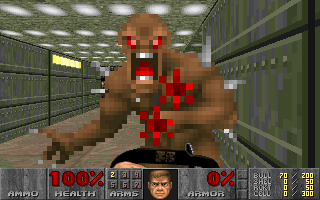
Doom 2D is a fan-made DOS-based freeware side-scrolling video game based upon Doom, somewhat like Doom 2D - Knee deep in the dead, only older. Doom 2D is essentially the original Doom translated into a two-dimensional arcade or console-like shooter, comparable to the original Duke Nukem. The player resumes their role as Doomguy, who must do battle with various hell-spawn. Originally appearing entirely in Russian, eventually a partially-translated English version appeared and both are still available for free on the Internet.
The story of Doom 2D is presumably the same as that of the original Doom, which contained very few story details in-game. Doom 2D has even less in-game plot developments than this, simplifying the already simple objectives found in Doom games. Gameplay utilizes a simple and customizable set of keys to navigate a 2D environment and defeat and pass monsters. The game also offers two-player cooperative-play or deathmatch options, which can be played using different keys on a single keyboard.
All creatures from the original Doom appear in Doom 2D, as Doom 2D utilizes the monster sprites (and others, such as object sprites) ripped from the original Doom. The difference, of course, is that in Doom 2D the creatures are mostly seen from the side (as opposed to the front, as it is in Doom) due to the different perspective. Most of the game's foreground and background elements were as well extracted from Doom, as were the sound effects.
Text: RetroGames.cz, licensed under CC BY-SA 3.0
Controls
This is a PC game: it uses the keyboard the way it did under MS-DOS, and the mouse where the game supports it. Click the game screen first so it gets your key presses.
Many DOS games start with a menu or ask a question first — read the screen and answer with the keyboard. Arrow keys, Enter, Space, Ctrl and Alt are the usual game keys.
Live chat
Connecting…
Controls
This is a PC game: it uses the keyboard the way it did under MS-DOS, and the mouse where the game supports it. Click the game screen first so it gets your key presses.
Many DOS games start with a menu or ask a question first — read the screen and answer with the keyboard. Arrow keys, Enter, Space, Ctrl and Alt are the usual game keys.




Comments