Donkey Kong 64
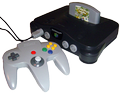
Donkey Kong 64 is a 1999 platform game developed by Rare and published by Nintendo for the Nintendo 64. It is the first Donkey Kong game to feature 3D gameplay. As the gorilla Donkey Kong, the player explores themed levels to collect items and rescue his family members from the crocodile King K. Rool. The player completes minigames and puzzles as five playable Kong characters—each with their own special abilities—to receive bananas and other collectibles. In multiplayer modes, up to four players can compete in deathmatch and last man standing games.
Rare began working on Donkey Kong 64 in 1997, following the completion of Donkey Kong Country 3 (1996). A 16-member team, with many staff from Rare's Banjo-Kazooie (1998) team, developed it over three years. It was conceived as a 2.5D platformer similar to Country before it was reworked into a more open-ended game using the Banjo engine. Rare sought to differentiate Donkey Kong 64 from Banjo with more collectibles and player characters, cinematic sequences, and bombastic bosses. It was the first of two games to require the Nintendo 64 Expansion Pak, an accessory that added memory resources. Grant Kirkhope composed the soundtrack, which includes a comedy hip-hop song, the "DK Rap", that plays in the introduction.
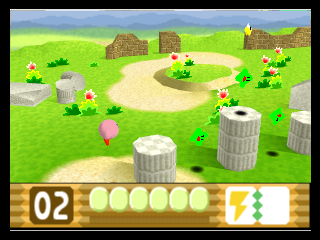
This is the Japanese release, so its text is in Japanese.
From Wikipedia's article Donkey Kong 64, licensed under CC BY-SA 4.0
Keyboard controls
| N64 | Player 1 |
|---|---|
| Stick | ↑↓←→ |
| A | X |
| B | C |
| Z | Z |
| L | A |
| R | S |
| C buttons | IKJL |
| D-pad | TGFH |
| Start | Enter |
Hotkeys
- 1 Quick save state
- 2 Quick load state
- 3 Change save slot
A gamepad with an analog stick plays much better than the keyboard.
Gamepads are detected when you press a button. Remap any key from the emulator’s Controls menu (gear icon).
Live chat
Connecting…
Keyboard controls
| N64 | Player 1 |
|---|---|
| Stick | ↑↓←→ |
| A | X |
| B | C |
| Z | Z |
| L | A |
| R | S |
| C buttons | IKJL |
| D-pad | TGFH |
| Start | Enter |
Hotkeys
- 1 Quick save state
- 2 Quick load state
- 3 Change save slot
A gamepad with an analog stick plays much better than the keyboard.
Gamepads are detected when you press a button. Remap any key from the emulator’s Controls menu (gear icon).
No reviews yet
We found no critic scores for this game, and too few players have rated it.
Review scorecard
- Graphics — Not scored Unavailable
- Sound — Not scored Unavailable
- Control — Not scored Unavailable
- Fun Factor — Not scored Unavailable
No category score or overall rating is available for the unscored slots.




Comments