Dig Dug

1.4M plays 1982 #Action#Platform
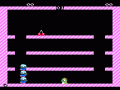
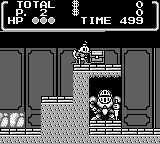
Dig Dug is an action game created by Namco and first released in Japanese arcades in 1982, with Atari distributing it outside Japan. Namco released Dig Dug for the Game Boy in North America and Europe in September 1992. Rather than offering only a monochrome copy of the arcade game, the cartridge contains both a recognisable Classic mode and an additional New Dig Dug mode created for the handheld system. The compact screen and four shades of grey require simpler presentation, but the principal characters and hazards remain easy to identify. Its simple premise conceals a carefully balanced score-driven design in which every tunnel changes both the player’s escape routes and the paths available to the enemies.
The player controls the underground digger Taizo Hori, although early Western material generally identifies him simply as Dig Dug. Each round is cleared by defeating its Pookas and Fygars. Pookas are round, goggle-wearing creatures, while the dragon-like Fygars can breathe fire horizontally. Dig Dug attacks with an air pump: once its hose catches an enemy, repeated pumping inflates the creature until it bursts. A partly inflated monster is temporarily harmless but will recover if the attack is interrupted.
Enemies normally follow the tunnels but can transform into ghostly eyes and pass slowly through solid earth, preventing the player from remaining safe behind untouched soil. Contact with either creature is fatal, as are Fygar’s flames and any rock that Dig Dug accidentally brings down on himself. When only one enemy remains, it attempts to escape through the upper-left corner. The round ends whether the fugitive is destroyed or gets away, but allowing it to flee sacrifices the remaining points.
Rocks provide a more dangerous and rewarding alternative to the pump. By tunnelling beneath one, the player can make it fall and crush several monsters at once, but must leave enough space to escape the collapse. Enemies destroyed deeper underground are worth more, and a Fygar inflated from the side awards double points because this exposes Dig Dug to its horizontal fire. Digging itself also increases the score, turning apparently empty movement into another opportunity for optimisation.
After two rocks have fallen, a temporary food or object bonus appears near the centre of the field. Later rewards include a flagship from Namco’s Galaxian, linking the game with another of the company’s arcade successes. Reaching the bonus before it vanishes often requires abandoning a safe route and crossing tunnels already used by the monsters. Dig Dug therefore rewards not only survival but also deliberate risk-taking and knowledge of how each scoring rule interacts.
Flowers record the round number, the colour of the soil changes periodically and later stages contain more enemies moving at higher speed. Since the basic layout remains familiar, variety comes chiefly from increased pressure and the unpredictable routes created during play. The arcade original eventually reaches an unplayable kill screen on round 256, although individual home conversions do not necessarily reproduce that programming fault. The absence of a conventional ending makes the pursuit of a high score and mastery of increasingly fast rounds the principal long-term goals.
New Dig Dug is the defining feature of this edition. Instead of merely eliminating every monster, the player must locate three keys and then reach the exit door, giving the digging and pursuit mechanics a clearer destination and a mild maze-solving element. Together with the conventional arcade-style mode, it makes the cartridge more substantial than a straightforward portable conversion. The restricted display inevitably reduces visual clarity during crowded moments, but concise rounds and simple controls are particularly well suited to short handheld sessions.
Text: RetroGames.cz, licensed under CC BY-SA 3.0
Keyboard controls
| Game Boy | Player 1 |
|---|---|
| D-pad | ↑↓←→ |
| B | Z |
| A | X |
| Select | Shift |
| Start | Enter |
Hotkeys
- 1 Quick save state
- 2 Quick load state
- 3 Change save slot
Gamepads are detected when you press a button. Remap any key from the emulator’s Controls menu (gear icon).
Live chat
Connecting…
Keyboard controls
| Game Boy | Player 1 |
|---|---|
| D-pad | ↑↓←→ |
| B | Z |
| A | X |
| Select | Shift |
| Start | Enter |
Hotkeys
- 1 Quick save state
- 2 Quick load state
- 3 Change save slot
Gamepads are detected when you press a button. Remap any key from the emulator’s Controls menu (gear icon).


Comments