Bokosuka Wars

74K plays 1983 #Action#RPG#Strategy
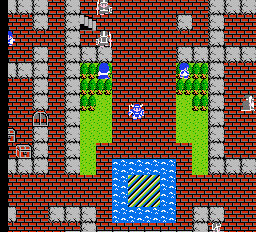
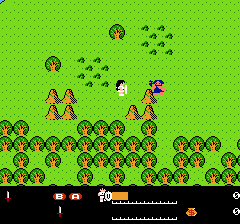
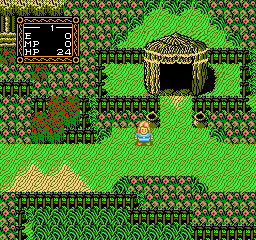
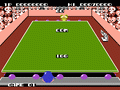
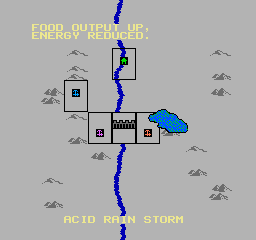
Bokosuka Wars is a 1983 action-strategy role-playing video game developed by Kōji Sumii and published by ASCII for the Sharp X1 computer, followed by ports to the MSX, FM-7, NEC PC-6001, NEC PC-8801 and NEC PC-9801 computer platforms, as well as an altered version released for the Family Computer. It revolves around a leader who must lead an army in phalanx formation across a battlefield in real-time against overwhelming enemy forces while freeing and recruiting soldiers along the way, with each unit able to gain experience and level up through battle. The player must make sure that the leader stays alive, until the army reaches the enemy castle to defeat the leader of the opposing forces.
The game was responsible for laying the foundations for the tactical role-playing game genre, or the "simulation RPG" genre as it is known in Japan, with its blend of role-playing and strategy game elements. The game has also variously been described as an early example of an action role-playing game, an early prototype real-time strategy game, and a unique reverse tower defense game. In its time, the game was considered a major success in Japan. The NES version was later released for the Virtual Console service for the Wii, as well as by Hamster Corporation for their Console Archives series for the PlayStation 5 and Nintendo Switch 2.
From Wikipedia's article Bokosuka Wars
Keyboard controls
| NES | Player 1 | Player 2 |
|---|---|---|
| D-pad | ↑↓←→ | IKJL |
| B | Z | N |
| A | X | M |
| Select | Shift | B |
| Start | Enter | Space |
Hotkeys
- 1 Quick save state
- 2 Quick load state
- 3 Change save slot
Gamepads are detected when you press a button. Remap any key from the emulator’s Controls menu (gear icon).
Online, both players use the Player 1 keys (or a gamepad) on their own computer. Saving, loading and pausing are off while you play online.
Live chat
Connecting…
Keyboard controls
| NES | Player 1 | Player 2 |
|---|---|---|
| D-pad | ↑↓←→ | IKJL |
| B | Z | N |
| A | X | M |
| Select | Shift | B |
| Start | Enter | Space |
Hotkeys
- 1 Quick save state
- 2 Quick load state
- 3 Change save slot
Gamepads are detected when you press a button. Remap any key from the emulator’s Controls menu (gear icon).
Online, both players use the Player 1 keys (or a gamepad) on their own computer. Saving, loading and pausing are off while you play online.
2.0 Could be better
Players 56 · 108 votes
No critic scores found for this game: this is the players' rating.
Review scorecard
- Graphics 2.0 out of 5 Overall fallback
- Sound 2.0 out of 5 Overall fallback
- Control 2.0 out of 5 Overall fallback
- Fun Factor 2.0 out of 5 Overall fallback
Overall fallback: Players 56 · 108 votes. The same 56/100 overall rating fills missing categories using the face scale; these are not separate category scores. Player rating; no critic scores available.
Full reviews
Play online
Play with a friend on another computer. Host a room and send them the link, or list it in Open rooms for anyone to join; they play as Player 2 and you both see the same game.
Press Start Game first.
Go live
Let anyone watch you play, live in their browser. They see your game as you play it, and your online game when you host a room.
Press Start Game first.
Comments