Batman: Return of the Joker

49K plays 1991 #Action#Platform
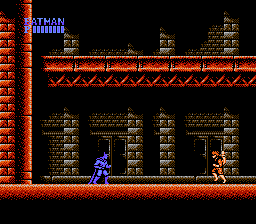
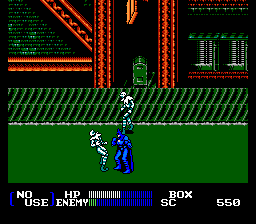
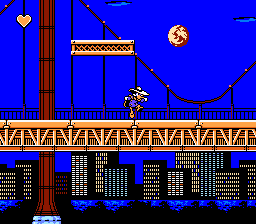
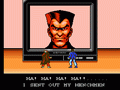
Batman: Return of the Joker is a 1991 run and gun video game, the follow-up to Sunsoft's first Batman game on the Nintendo Entertainment System. Unlike that game, which was based on the 1989 Batman film directed by Tim Burton, Return of the Joker is entirely self-contained and based more on the modern comic book iteration of Batman, but the Batmobile and the Batwing are featured from the 1989 film. A remake of Return of the Joker, titled Batman: Revenge of the Joker, was released on the Sega Genesis by Ringler Studios in 1992. A Super NES version of Revenge of the Joker was completed but never officially released; a ROM image surfaced online in later years.
A completely different version of the game was released on the Game Boy in 1992.
From Wikipedia's article Batman: Return of the Joker
Keyboard controls
| NES | Player 1 | Player 2 |
|---|---|---|
| D-pad | ↑↓←→ | IKJL |
| B | Z | N |
| A | X | M |
| Select | Shift | B |
| Start | Enter | Space |
Hotkeys
- 1 Quick save state
- 2 Quick load state
- 3 Change save slot
Gamepads are detected when you press a button. Remap any key from the emulator’s Controls menu (gear icon).
Online, both players use the Player 1 keys (or a gamepad) on their own computer. Saving, loading and pausing are off while you play online.
From the manual, page 4
Live chat
Connecting…
Keyboard controls
| NES | Player 1 | Player 2 |
|---|---|---|
| D-pad | ↑↓←→ | IKJL |
| B | Z | N |
| A | X | M |
| Select | Shift | B |
| Start | Enter | Space |
Hotkeys
- 1 Quick save state
- 2 Quick load state
- 3 Change save slot
Gamepads are detected when you press a button. Remap any key from the emulator’s Controls menu (gear icon).
Online, both players use the Player 1 keys (or a gamepad) on their own computer. Saving, loading and pausing are off while you play online.
From the manual, page 4
3.5 Good job
Critics 77 · 7 reviews
Review scorecard
- Graphics 3.5 out of 5 Overall fallback
- Sound 3.5 out of 5 Overall fallback
- Control 3.5 out of 5 Overall fallback
- Fun Factor 3.5 out of 5 Overall fallback
Overall fallback: Critics 77 · 7 reviews. Overall source The same 77/100 overall rating fills missing categories using the face scale; these are not separate category scores.
What the reviews talk about
Key wordsmoodyrevolutionaryfluidatmosphericentertainingenjoyable
What the critics said
Dave Cook of Nintendo Life wrote that while Batman: Return of the Joker was "fun and challenging it doesn't feel as revolutionary as its predecessor despite being a commendable effort".
— Nintendo Life, 2016 (Dave Cook)
The Gamer, in 2020, claimed Return of the Joker to be the best-looking NES game ever, reasoning that the "sprites are fluid, the game's color palette is moody & atmospheric, and the backgrounds are as fleshed out as can be for an NES game".
— Gamer, 2020
The Gamer has also called it one of the best all-time Batman video games: "The graphics are surprisingly spritely for an early 90s game, with entertaining gameplay and an intriguing storyline helping make this game an enjoyable experience".
— Gamer, 2018
From the Reception section of Wikipedia's Batman: Return of the Joker article.
Scores
- 90 AllGame 4.5/5; 2.5/5
- 85 GamePro1991 17/20; 3/5
- 78 Official Nintendo Magazine1992 78%
- 77 Nintendo Power1991 3.85/5; 3.6/5
- 75 Jeuxvideo.com2011 15/20
- 73 Electronic Gaming Monthly1992 8/10, 8/10, 7/10, 6/10; 29/40
- 64 Total!1992 64%; 86%
- – Giant Bomb true
- 90 Zero 90/100 · other versions
- 78 GameZone1992 78/100 · other versions
- 69 Computer and Video Games1993 79%; 59% · other versions
- 68 GamesMaster1993 68% · other versions
From the review table in Wikipedia's Batman: Return of the Joker article.
Full reviews
Play online
Play with a friend on another computer. Host a room and send them the link, or list it in Open rooms for anyone to join; they play as Player 2 and you both see the same game.
Press Start Game first.
Go live
Let anyone watch you play, live in their browser. They see your game as you play it, and your online game when you host a room.
Press Start Game first.
Comments