Yie Ar Kung-Fu 2: The Emperor Yie-Gah
35K plays 1986 #Action#Fighting
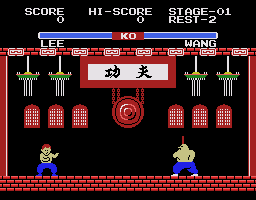
Yie Ar Kung-Fu II: The Emperor Yie-Gah is a video game developed and released by Konami in 1986 as a sequel to 1985's Yie Ar Kung-Fu. Rather than a pure fighting game as the original, it is a beat 'em up. It was released for the Commodore 64, MSX, Amstrad CPC, ZX Spectrum, BBC Micro and Acorn Electron home computer systems and featured a different approach to the game. In France, the video game was also released for the Thomson computers.
Lee Young is a young martial arts master who is the son of a brave warrior who has rid China of the Chop Suey Gang. However, one member survived and declared himself Emperor Yie-Gah. Now, like his father, Lee Young has to rid China of Yie-Gah and his allies once and for all.
Lee Young goes through three sections of a level to face its boss. Along the way, he meets up with ninjas. The power-ups Lee can acquire are oolong tea to replenish health and lo mein for temporary invincibility. Lee can only carry three oolong teas at a time.
The game also features a two-player mode, in which Player 1 controls Lee while Player 2 has the choice to play as either Yen Pei, Lan Fang or Po Chin, making Lan Fang the first ever playable female character in a fighting game (predating Saboteur II female ninja by one year and Chun Li in Street Fighter II by five years).
Main Characters:
Text: Wikipedia via RetroGames.cz, licensed under CC BY-SA 3.0
Keyboard controls
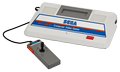
| SG-1000 | Player 1 | Player 2 |
|---|---|---|
| D-pad | ↑↓←→ | IKJL |
| Button 1 | Z | N |
| Button 2 | X | M |
| Pause | Enter |
Hotkeys
- 1 Quick save state
- 2 Quick load state
- 3 Change save slot
Gamepads are detected when you press a button. Remap any key from the emulator’s Controls menu (gear icon).
Live chat
Connecting…
Keyboard controls
| SG-1000 | Player 1 | Player 2 |
|---|---|---|
| D-pad | ↑↓←→ | IKJL |
| Button 1 | Z | N |
| Button 2 | X | M |
| Pause | Enter |
Hotkeys
- 1 Quick save state
- 2 Quick load state
- 3 Change save slot
Gamepads are detected when you press a button. Remap any key from the emulator’s Controls menu (gear icon).
Comments