The Black Onyx
37K plays 1984 #RPG
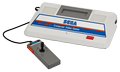
The Black Onyx is a 1984 role-playing video game released in Japan, developed by Bullet-Proof Software, with development led by Henk Rogers. It was one of the first successful Japanese-language RPGs, having sold 150,000 copies, and helped familiarize the Japanese public with RPGs. It was originally released for the NEC PC-8801, and ported to several other platforms. The Famicom version featured completely redesigned gameplay, a new map, and was retitled Super Black Onyx. The SG-1000 version was one of the last official releases for that console, succeeded only by Portrait of Loretta.
The player can create a five-member party, or can ask friendly encounters to join the party to fill empty slots. The party will explore the dungeons under the town of Utsuro to obtain the legendary Black Onyx. Doing so will break the curse which binds the town in eternal night. The combat system has no concept of distance, so there are no bows or similar missile weapons. There are melee weapons, shields, and armor, however. The hospital in town can offer 'examinations' which display the PCs' stats.
There is a bank in town where the heroes can deposit money. This protects money from thieves; but there is no interest on the deposits, since there is no time system. The labyrinth under the town has several entrances, each hidden in one of the locations of the town. The labyrinth has six floors corresponding to the six colors the computer can display. These must be solved in the proper order (which depends on the platform) in order to create the stairway to the Black Tower, where the Onyx resides.
Text: Wikipedia via RetroGames.cz, licensed under CC BY-SA 3.0
Keyboard controls
| SG-1000 | Player 1 | Player 2 |
|---|---|---|
| D-pad | ↑↓←→ | IKJL |
| Button 1 | Z | N |
| Button 2 | X | M |
| Pause | Enter |
Hotkeys
- 1 Quick save state
- 2 Quick load state
- 3 Change save slot
Gamepads are detected when you press a button. Remap any key from the emulator’s Controls menu (gear icon).
Live chat
Connecting…
Keyboard controls
| SG-1000 | Player 1 | Player 2 |
|---|---|---|
| D-pad | ↑↓←→ | IKJL |
| Button 1 | Z | N |
| Button 2 | X | M |
| Pause | Enter |
Hotkeys
- 1 Quick save state
- 2 Quick load state
- 3 Change save slot
Gamepads are detected when you press a button. Remap any key from the emulator’s Controls menu (gear icon).
Comments