Super Star Wars

96K plays 1992 #Action#Platform#Shooter
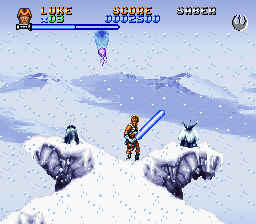
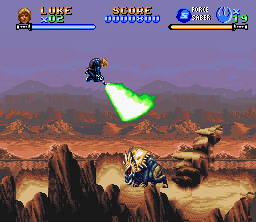
Super Star Wars is a 1992 run and gun video game based on the 1977 film Star Wars, developed by LucasArts and Sculptured Software and published by JVC Musical Industries for the Super Nintendo Entertainment System. The game features side-scrolling run and gun and platform gameplay, although it has stages which feature other challenges, such as driving a landspeeder or piloting an X-wing. It also features multiple playable characters with different abilities.
The game was followed by two sequels based on the subsequent Star Wars films: Super Star Wars: The Empire Strikes Back (1993) and Super Star Wars: Return of the Jedi (1994). The game was re-released in November 1996 as part of Nintendo's Player's Choice series. It was also released on the Wii's Virtual Console by LucasArts in 2009. In 2015, Disney Interactive Studios re-released the game for the PlayStation 4 and PlayStation Vita, with Code Mystics developing the ports. The port features enhanced options for saving, including cross-save, leaderboards and trophies, and modern displays and controllers. The game was also made a part of a bundle with the purchase of Star Wars Battlefront for the PlayStation 4, which included Star Wars: Racer Revenge, Star Wars: Jedi Starfighter and Star Wars Bounty Hunter.
From Wikipedia's article Super Star Wars, licensed under CC BY-SA 4.0
Keyboard controls
| SNES | Player 1 | Player 2 |
|---|---|---|
| D-pad | ↑↓←→ | IKJL |
| A | Z | M |
| B | X | N |
| X | A | U |
| Y | S | H |
| L | Q | Y |
| R | E | O |
| Select | Shift | B |
| Start | Enter | Space |
Hotkeys
- 1 Quick save state
- 2 Quick load state
- 3 Change save slot
Gamepads are detected when you press a button. Remap any key from the emulator’s Controls menu (gear icon).
Online, both players use the Player 1 keys (or a gamepad) on their own computer. Saving, loading and pausing are off while you play online.
Live chat
Connecting…
Keyboard controls
| SNES | Player 1 | Player 2 |
|---|---|---|
| D-pad | ↑↓←→ | IKJL |
| A | Z | M |
| B | X | N |
| X | A | U |
| Y | S | H |
| L | Q | Y |
| R | E | O |
| Select | Shift | B |
| Start | Enter | Space |
Hotkeys
- 1 Quick save state
- 2 Quick load state
- 3 Change save slot
Gamepads are detected when you press a button. Remap any key from the emulator’s Controls menu (gear icon).
Online, both players use the Player 1 keys (or a gamepad) on their own computer. Saving, loading and pausing are off while you play online.
Play online
Play with a friend on another computer. Host a room and send them the link; they join as Player 2 and you both see the same game.
Press Start Game first.
Go live
Let anyone watch you play, live in their browser. They see your game as you play it, and your online game when you host a room.
Press Start Game first.
Comments