Super Chinese World 2: Uchuuichi Butou Taikai

0 plays 1993 #Action
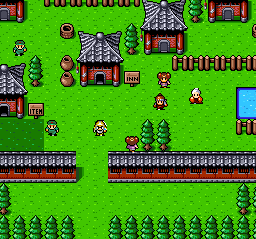
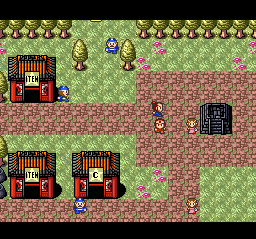
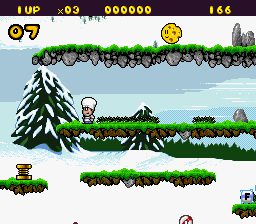
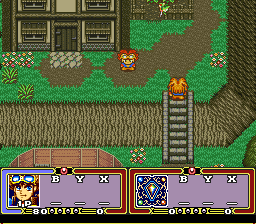
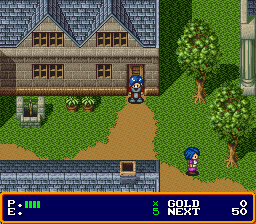
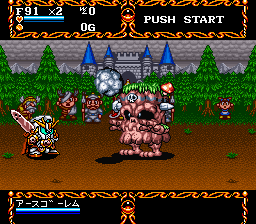
Super Chinese World 2: Uchū Ichi Butō Taikai (スーパーチャイニーズワールド2 宇宙一武闘大会) is a Japanese-only action RPG developed by Culture Brain. It is the second SNES Super Chinese game, being a sequel to Super Ninja Boy, which was released in North America.
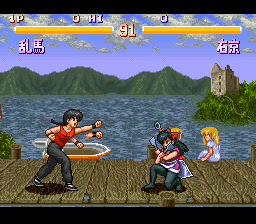
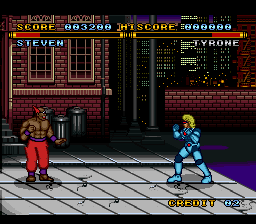
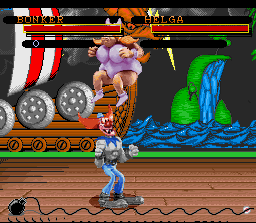
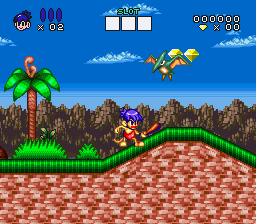
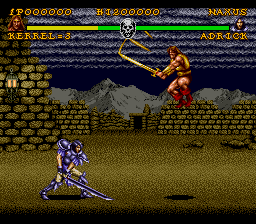
Contrary to its predecessor, it doesn't feature any traditional turn-based battles, but a couple of platforming sections still remain. Jack and Ryu are now travelling between different planets to defeat some alien invaders, who kidnapped the world leaders. The battle system was also greatly improved. Jack and Ryu now have a lot of new attacks and even a few different skills (although they still share levels and items), they can turn into giant ninjas in order to cast the most advanced spells and it is possible to use weapons or spells without going to the menu. A fighting mode has also been added, allowing to play with many other characters than the heroes.
This is the Japanese release, so its text is in Japanese.
From Wikipedia's article Super Chinese World 2, licensed under CC BY-SA 4.0
Keyboard controls
| SNES | Player 1 | Player 2 |
|---|---|---|
| D-pad | ↑↓←→ | IKJL |
| A | Z | M |
| B | X | N |
| X | A | U |
| Y | S | H |
| L | Q | Y |
| R | E | O |
| Select | Shift | B |
| Start | Enter | Space |
Hotkeys
- 1 Quick save state
- 2 Quick load state
- 3 Change save slot
Gamepads are detected when you press a button. Remap any key from the emulator’s Controls menu (gear icon).
Online, both players use the Player 1 keys (or a gamepad) on their own computer. Saving, loading and pausing are off while you play online.
Live chat
Connecting…
Keyboard controls
| SNES | Player 1 | Player 2 |
|---|---|---|
| D-pad | ↑↓←→ | IKJL |
| A | Z | M |
| B | X | N |
| X | A | U |
| Y | S | H |
| L | Q | Y |
| R | E | O |
| Select | Shift | B |
| Start | Enter | Space |
Hotkeys
- 1 Quick save state
- 2 Quick load state
- 3 Change save slot
Gamepads are detected when you press a button. Remap any key from the emulator’s Controls menu (gear icon).
Online, both players use the Player 1 keys (or a gamepad) on their own computer. Saving, loading and pausing are off while you play online.
No reviews yet
We found no critic scores for this game, and too few players have rated it.
Review scorecard
- Graphics — Not scored Unavailable
- Sound — Not scored Unavailable
- Control — Not scored Unavailable
- Fun Factor — Not scored Unavailable
No category score or overall rating is available for the unscored slots.
Full reviews
Play online
Play with a friend on another computer. Host a room and send them the link, or list it in Open rooms for anyone to join; they play as Player 2 and you both see the same game.
Press Start Game first.
Go live
Let anyone watch you play, live in their browser. They see your game as you play it, and your online game when you host a room.
Press Start Game first.
Comments