Robot Tank

45K plays 1983 #Action#Simulation#Shooter
Robot Tank is a 1983 video game for the Atari 2600. It was designed and programmed by Alan Miller and published by the then-fledgling Activision.
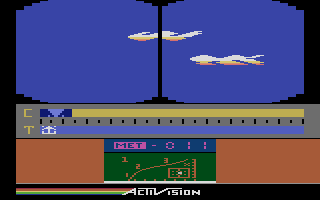
The game has the player remotely control a futuristic robot tank, whose mission is to stop enemy rebel tanks rampaging across the countryside from reaching downtown Santa Clara, California, United States. The tank is equipped with radar to locate enemy squadrons.
The game was innovative in that, instead of the player's tank being destroyed with a hit from an enemy, it was merely damaged, losing some capabilities such as radar or speed (enough damage would eventually destroy the tank). The game also features 24-hour gameplay (that is, combat could take place at any time of the day or night) and varying weather (rain, snow, fog), which added additional challenge in tracking enemy combatants.
The enemy is organized into squadrons. By defeating an enemy squadron, the player earns an additional reserve tank. The game ends when all of a player's tanks are destroyed.
In a 2008 review, Lee's 'Peek n Poke' said of Robot Tank 'In a toss between the official Atari Battle zone and this — each one is just as good and its hard to choose — maybe the Atari effort wins? But it is nice to have two versions I can play and enjoy — a near perfect slant on Battle Zone'.
Text: Wikipedia via RetroGames.cz, licensed under CC BY-SA 3.0
Keyboard controls
| Atari 2600 | Player 1 | Player 2 |
|---|---|---|
| D-pad | ↑↓←→ | IKJL |
| Fire | Z | N |
| Game Select | Shift | |
| Game Reset | Enter |
Hotkeys
- 1 Quick save state
- 2 Quick load state
- 3 Change save slot
Most games start with Game Reset. Paddle games (Breakout, Kaboom!…) need a gamepad stick.
Gamepads are detected when you press a button. Remap any key from the emulator’s Controls menu (gear icon).
Live chat
Connecting…
Keyboard controls
| Atari 2600 | Player 1 | Player 2 |
|---|---|---|
| D-pad | ↑↓←→ | IKJL |
| Fire | Z | N |
| Game Select | Shift | |
| Game Reset | Enter |
Hotkeys
- 1 Quick save state
- 2 Quick load state
- 3 Change save slot
Most games start with Game Reset. Paddle games (Breakout, Kaboom!…) need a gamepad stick.
Gamepads are detected when you press a button. Remap any key from the emulator’s Controls menu (gear icon).



















Comments