Pit Pot: The Magical Castle
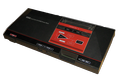
Pit Pot is a video game developed and manufactured by Sega for the Master System. The Japanese version was released in 1985 and the export version in 1986. It was only released as a combo with Astro Warrior in a double cart in the USA and European regions but was released as a stand alone game in Japan.
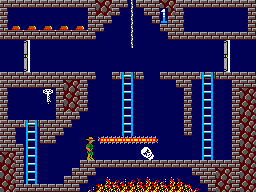
The player is introduced to the game with a short cut scene showing that a princess has been kidnapped and held captive inside a castle by an evil witch. The players mission is to enter the castle and rescue the princess. In order to successfully rescue her, the following items must be found: a cross to prevent her from turning into a witch, a potion to wake her up, and a ring to get her to marry the player. These items are hidden in a maze, separated into separate rooms that are static (i.e. no scrolling). The number of rooms depends on the level of difficulty. Along the way, the player will face monsters and puzzles. Using a magic hammer, the player can squash the enemies, and smash tiles into the bottomless pit. The monsters regenerate at a predetermined respawn spot, similar to Pac-Man, so the player must move quickly.
The game ends if the player lost all of his allowed lives. The game also ends when the player does not have all items to save the Princess, regardless of his lives. It's possible to kill the princess, too.
Text: Wikipedia via RetroGames.cz, licensed under CC BY-SA 3.0
Keyboard controls
| SMS | Player 1 | Player 2 |
|---|---|---|
| D-pad | ↑↓←→ | IKJL |
| Button 1 | Z | N |
| Button 2 | X | M |
| Pause | Enter |
Hotkeys
- 1 Quick save state
- 2 Quick load state
- 3 Change save slot
Gamepads are detected when you press a button. Remap any key from the emulator’s Controls menu (gear icon).
Live chat
Connecting…
Keyboard controls
| SMS | Player 1 | Player 2 |
|---|---|---|
| D-pad | ↑↓←→ | IKJL |
| Button 1 | Z | N |
| Button 2 | X | M |
| Pause | Enter |
Hotkeys
- 1 Quick save state
- 2 Quick load state
- 3 Change save slot
Gamepads are detected when you press a button. Remap any key from the emulator’s Controls menu (gear icon).




Comments