Ghost House
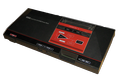
38K plays 1986 #Action#Platform
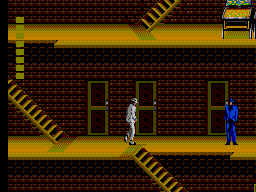
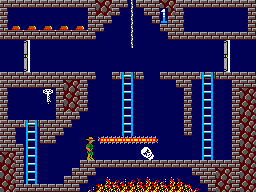
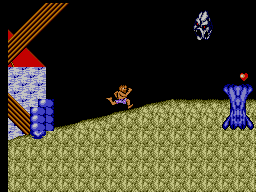
Ghost House is a single-player, side-scrolling horror-action video game published by SEGA and released in 1986 for the Master System, which was loosely based on Sega's 1982 arcade game Monster Bash. The game was originally released in the short lived Sega Card format, but was re-released on cartridge.
The player controls Mick, a young vampire hunter out to destroy five vampires (or 'Draculas' as the instruction book calls them) in each stage before proceeding to the next.
Everything is out to stop Mick from completing this tasks and making his way out of the mansion. The player has to punch, or jump on, his enemies to defeat them. Arrows will be flying from either direction and will attempt to hit Mick on the head, and he must either duck or jump on them for extra points. Players can jump or touch lights to freeze everything on screen for a few seconds. Rather than punching, the player can collect a sword on the lower level by jumping on it as it flies past him.
The sword is useful when the player fights Dracula or getting rid of Fire Blowers. The player start the game with three lives, and receive an additional life every 50,000 and 150,000 points. He also has an energy meter and he loses energy when touching one of the monsters. When the player run out of energy, he ends up losing a life. He can gain energy by collecting treasures scattered throughout the mansion, and it is restored when you kill a Dracula.
Text: Wikipedia via RetroGames.cz, licensed under CC BY-SA 3.0
Keyboard controls
| SMS | Player 1 | Player 2 |
|---|---|---|
| D-pad | ↑↓←→ | IKJL |
| Button 1 | Z | N |
| Button 2 | X | M |
| Pause | Enter |
Hotkeys
- 1 Quick save state
- 2 Quick load state
- 3 Change save slot
Gamepads are detected when you press a button. Remap any key from the emulator’s Controls menu (gear icon).
Live chat
Connecting…
Keyboard controls
| SMS | Player 1 | Player 2 |
|---|---|---|
| D-pad | ↑↓←→ | IKJL |
| Button 1 | Z | N |
| Button 2 | X | M |
| Pause | Enter |
Hotkeys
- 1 Quick save state
- 2 Quick load state
- 3 Change save slot
Gamepads are detected when you press a button. Remap any key from the emulator’s Controls menu (gear icon).



Comments